
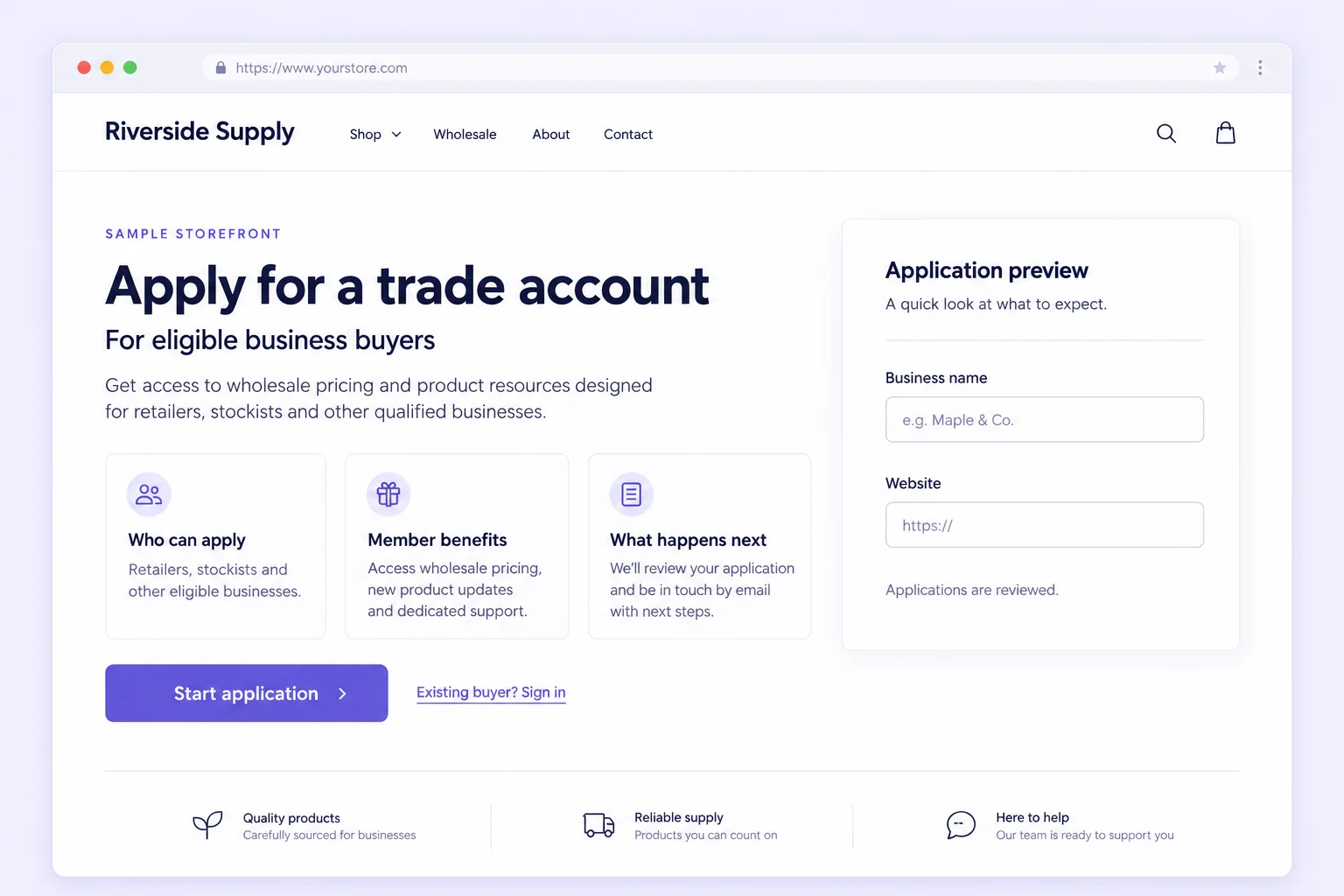
What is a wholesale application page?
A wholesale application page is a public storefront page that explains your business-buyer program and gives suitable customers a route to request access. Its job is to set expectations before the form, make the next action obvious and tell applicants what happens after they submit.
This guide covers a page for an approved Memberply membership. It is not a complete wholesale store build. The page does not by itself create company accounts, catalogs, negotiated price lists, order minimums, delivery rules or payment terms.
For detailed questions, review criteria and activation workflows, use the trade-account application guide. Here, the focus is the public page that introduces that process.
Plan the page around six buyer questions
| Page area | What the buyer needs to know | What to make explicit |
|---|---|---|
| Opening offer | Is this program relevant to my business? | Name the audience and the useful benefit. Avoid an unqualified promise of wholesale prices for everyone. |
| Eligibility | Who can apply? | Relevant business types, locations or intended use. Explain that the team reviews applications. |
| Benefits and conditions | What happens if I am approved? | The configured benefits, important exclusions and whether membership is free or paid. Link to actual ordering conditions. |
| Before applying | What information should I prepare? | Only the business and contact details required by the real form. Do not request unsupported uploads. |
| Application route | Where do I apply? | One primary application action leading to the correct form or its position on this page. |
| Existing buyers and next steps | How do I sign in, and what happens after submission? | A separate sign-in link, a realistic review explanation and a support contact. |
Keep the page introduction short enough that a buyer can find the application route on a phone. Use descriptive section headings and real HTML text. The hero illustration can support the explanation, but it should not be the only place that states who qualifies or what the program costs.
Example page outline for a homewares supplier
The following is fictional planning copy for a free stockist program. Replace the audience, benefits and conditions with those your store actually offers before publishing.
Apply for a homewares stockist account
We welcome applications from independent homewares and gift retailers in the regions we serve. Tell us about your store and where you intend to sell our range.
Approved customers can join our free stockist membership and receive the configured member benefits on eligible products. Product exclusions and our current ordering and delivery conditions still apply.
Have your business name, store website, sales channels and ordering contact ready. We review each application and may ask for more information. Submitting the form does not immediately activate benefits.
Primary action: Apply for a stockist account.
Existing buyer route: Sign in to your account.
Help route: Contact our trade team with a question.
These are example labels, not working application or sign-in buttons on this guide. On your storefront, connect each action to its actual destination. Do not promise a fixed review time, territorial exclusivity or guaranteed sales unless those commitments are part of your real program.
For a paid trade offer, replace the free-membership statement with the actual fee, billing period, benefits and payment-after-approval explanation. Use the trade pricing comparison to assess the offer before writing the page.
Build the page and connect the Memberply form
- Prepare the program: create the free or paid tier and its benefits, then configure the application program and the questions your reviewer needs.
- Publish the program: save it, review its confirmation and email settings, publish it and copy the Storefront program ID.
- Prepare the storefront page: add the introduction, eligibility and benefit information. Use a page template and section that support the app block in your theme.
- Place the form: add the Membership application app block, paste the program ID into its settings and adjust the available heading, button, messages and colors.
- Connect navigation: link your store’s Trade or Wholesale navigation item to this page. Point the primary action to the form and the existing-buyer link to the actual account route.
- Test the saved page: open it as a customer on the published storefront and check submission, confirmation, review and the relevant activation path.
Follow the Memberply application setup instructions for current configuration steps. For paid application tiers, also configure the Subscription Details block on the membership product template as documented there.
App blocks require a compatible theme and a supported placement. If the block is unavailable in a section, check the theme’s support rather than assuming the application program is broken. Shopify explains how app blocks extend a theme.
Keep new applicants and existing buyers on clear routes
A new applicant needs eligibility information and the application form. An existing active buyer normally needs their account and the actual product-ordering route. A pending applicant needs a clear explanation of review status and a help route, not a suggestion to submit repeatedly.
Test the actual destinations in your store. Signing in is not the same as being approved, and approval is not the same as a completed paid membership purchase. Do not label a general login button “Access approved pricing” if it can also be used by customers without active benefits.
Keep the application page reachable by the people who need to apply. An application form hidden behind the same access requirement it is meant to request creates a dead end. Restrict the intended products or resources separately through the verified setup.
If you need native Shopify company creation, assess Shopify company account requests as a separate workflow. Memberply membership approval should not be described as creating those company records.
Check the page before inviting business buyers
| Check | Pass condition |
|---|---|
| Audience and offer | The page names business buyers, states the actual free or paid offer and links to important conditions. |
| New applicant | A signed-out eligible prospect can reach the page and intended form without already having approved benefits. |
| Form identity | The app block uses the published program and intended tier; submission reaches the right review process. |
| Confirmation | The message explains review and the next step without presenting submission as approval. |
| Existing buyer | The sign-in link opens the correct route; the approved active customer can use the configured benefit. |
| Mobile and keyboard | Text, buttons and field labels are readable; focus can reach the controls; errors can be understood and corrected. |
| No accidental promises | No unsupported company access, uploads, credit terms, guaranteed review time or automatic wholesale-store claims. |
Keep test identifiers and outcomes in the wholesale launch worksheet. Retest the route when changing the theme, form, tier or important offer details.
Measure page clarity separately from approval and ordering
Where your analytics and application records support it, distinguish page visits, submitted applications, suitable applications, approved customers, active memberships and first product orders. The denominators answer different questions. Do not divide applications by unrelated site traffic or count a membership-only payment as a product order.
Repeated eligibility questions suggest a page explanation problem. Frequent incomplete submissions may point to unclear fields or unnecessary requirements. Suitable approved buyers who do not purchase need the separate approved-but-not-ordering diagnostic. These are measures to calculate from available records, not a claim that Memberply automatically reports this page funnel.
Wholesale application-page FAQs
What should a wholesale application page include?
Explain who qualifies, what the approved membership provides, any membership fee, the information applicants should prepare and what happens after submission. Include a clear application route, a separate existing-buyer sign-in link and a contact route for questions.
Is a wholesale application page the same as a wholesale store?
No. The application page explains the program and collects requests for review. Catalogs, ordering, delivery conditions, company accounts and payment terms are separate requirements that depend on your commerce setup.
Can I add a Memberply application form to a Shopify page?
Yes. Publish the application program, copy its Storefront program ID and add the Membership application app block to the intended page in a compatible theme. Paste the program ID into the block settings, save and test the published customer journey.
Should existing wholesale buyers apply again?
Give existing buyers a separate sign-in or support route. Check their actual membership and ordering account before asking them to submit another application. Signing in alone does not approve or activate a membership.
Does a submitted application activate member benefits?
No. For a free tier, benefits activate after approval processing completes. For a paid tier, approval authorizes the customer to complete membership payment; benefits activate after successful payment.