
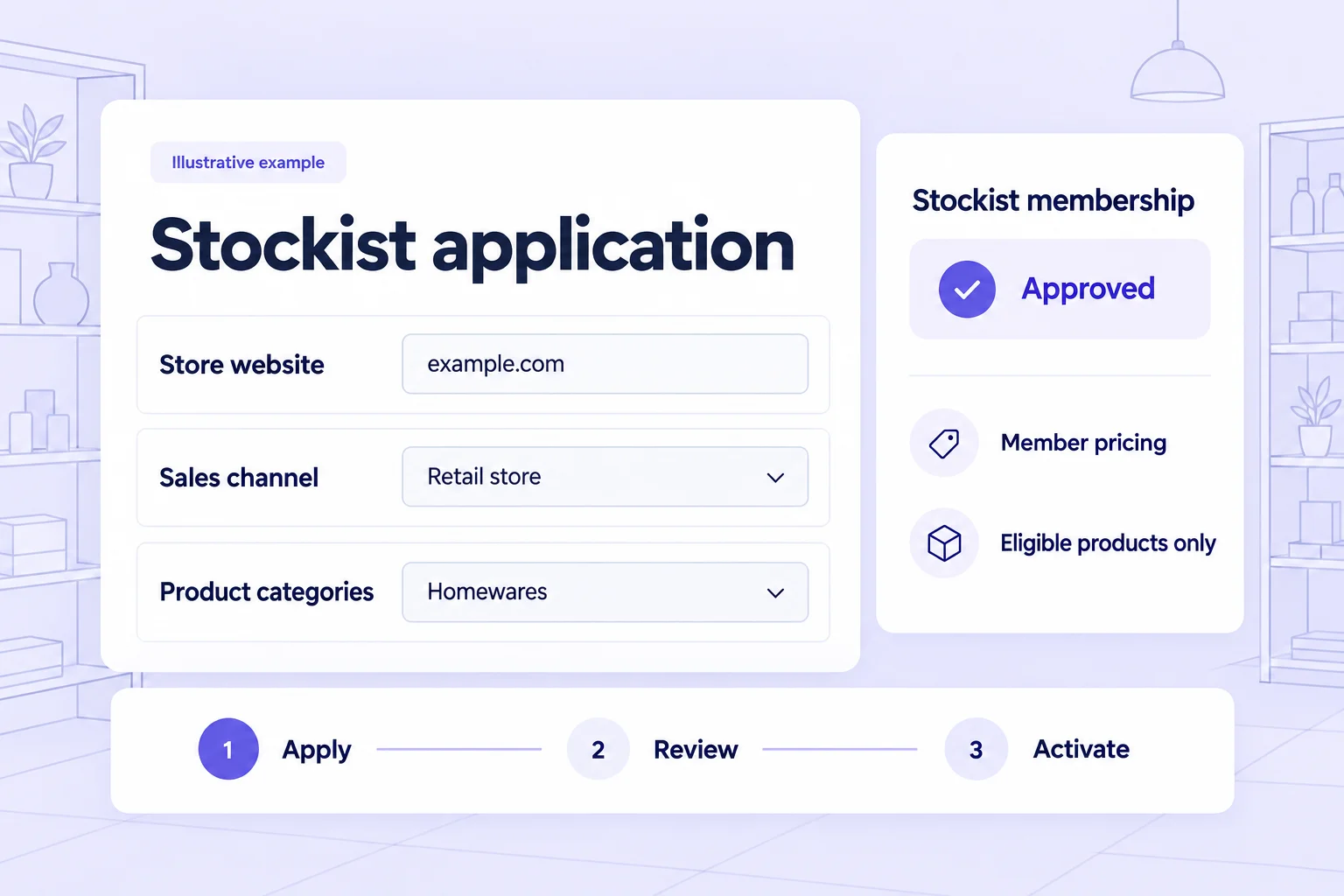
What is a stockist application?
A stockist application is a request from a retailer to buy your products for resale, followed by your team’s review of whether that retailer fits the program. For a Shopify brand, Memberply can connect the approved customer to a membership tier with the discounts and access benefits you configure.
This guide is for brands recruiting and reviewing retail stockists, not shoppers looking for a stockist directory or retailers searching for suppliers. Clothing, gift, homewares and other consumer brands can use a public application page to explain who qualifies and what approval provides.
A free approved tier is a practical starting point when the commercial relationship is based on product orders. If you charge a membership fee, disclose that fee and its value before the retailer applies. Paid benefits begin after successful payment, not simply because an application was approved.
For the general form setup, use our trade-account application guide. Keep professional-use programs distinct where necessary: a salon using supplies during services has different criteria from a shop reselling retail products.
Stockist application form: questions that support a decision
Explain your selection criteria first, then ask for information you actually use. A retailer should understand the review process, any separate ordering conditions and whether approval applies to the intended channels. Avoid asking for customer lists or other unrelated confidential material.
| Question | Suggested response | What your team reviews |
|---|---|---|
| Who will place orders? | Contact name and required email | Identify the Shopify customer who will hold the membership. |
| What is the store or business name? | Trading name and relevant business details | Match the application to the retail business. |
| Where can we see the store? | Website or public store profile link | Review the product assortment and retail presence. |
| Where do you operate? | Store locations and relevant service areas | Check fit with your program criteria; this does not enforce territories. |
| Where will you resell our products? | Physical store, own website, named marketplace or other channel | Identify channels that require clarification or separate permission. |
| Which categories interest you? | Relevant product categories | Assess assortment fit and useful onboarding information. |
| What purchasing range do you expect? | Optional opening-order range or approximate purchasing plans | Support planning without treating an estimate as an order commitment. |
| Have you read the stockist conditions? | Consent field linked to the actual terms | Explain benefits, exclusions and the separate ordering/resale conditions. |
Memberply supports configurable form fields, required answers, help text and consent fields. Every form needs a required email. If a business identifier or supporting evidence is relevant, collect only what your process needs and explain how it will be reviewed. Do not present the form as automatic approval of tax status or resale documents.
Example: review a shop with an online sales channel
Imagine a fictional homewares shop applying to stock your products. Its website shows a suitable assortment, and the application lists a physical shop plus online sales. The reviewer notices that “online” does not specify whether the retailer means its own website or an external marketplace.
Request more information about the intended channel before making the decision. Once the details meet your published criteria, approve the correct program and record a private note explaining the review. If the retailer does not qualify, reject the application through the configured process.
For a free tier, membership activates after approval processing completes. For a paid tier, the approved customer is authorized to purchase the selected membership; benefits activate after payment succeeds. Approval is not an opening order, a credit decision or a promise of an exclusive territory.
If the retailer later changes its sales channels, your team needs a process for reviewing that change. Memberply does not automatically monitor resale activity or enforce marketplace restrictions.
Connect approval to clearly defined member benefits
Configure the benefits you intend approved active stockists to receive. A member discount can apply automatically when the eligible customer signs in. Product and collection exclusions let you keep selected items outside that saving.
In this illustrative basket, $1,000 of eligible goods receives a 15% member discount. A $200 excluded display item and $50 shipping remain unchanged. The total falls from $1,250 to $1,100 before tax and other promotions. This is sample arithmetic, not a recommended wholesale margin or a profitability claim.
| Component | Before member benefit | After member benefit |
|---|---|---|
| Eligible goods | $1,000 | $850 |
| Excluded display item | $200 | $200 |
| Shipping | $50 | $50 |
| Total before tax | $1,250 | $1,100 |
A discount exclusion does not hide the item or stop it being purchased. Configure exclusive product access separately if appropriate, and test the intended visitor and member experiences.
Membership approval does not create company catalogs, enforce case packs, reserve inventory, set credit terms or synchronize the stockist’s inventory. A minimum required to receive a discount is also different from enforcing every wholesale order minimum. Check these requirements in the systems responsible for ordering and fulfilment.
Plan the handoff from approval to a first order
An approval message should make the next step clear: which customer account to use, where to find the relevant products and where the real ordering conditions are explained. Before a retailer places an order, confirm any separate arrangements for shipping, product availability, ordering quantities and tax treatment through your existing processes.
Distinguish activation from purchasing when reviewing the program. A retailer can become an active member without having placed a product order. Track the first paid product order separately, then allow enough time for the retailer’s own sales cycle before evaluating repeat purchases.
| Stage | Merchant check | Buyer’s next step |
|---|---|---|
| Application approved | Correct customer and tier; activation or payment status understood | Sign in with the approved account, or complete the authorized membership payment. |
| Ready for a first order | Benefits tested; separate order and delivery conditions explained | Choose products and place the order through the intended route. |
| First order completed | Order and support issues reviewed | Receive relevant information for the selected assortment. |
| Considering a repeat order | Recent orders, buying cycle and service issues checked | Reorder when appropriate for the retailer’s actual needs. |
For example, a shop that selected homewares may find information about a related homewares range useful. A generic offer for unrelated categories is less helpful. Use stated interests and actual purchasing history, and stop stale follow-up after another order or while a service issue remains unresolved. This is marketing planning, not a claim that Memberply tracks retailer sell-through or runs stock replenishment campaigns.
Keep repeat-purchase rewards tied to the right customer
If you add spend-based benefits, choose a current-calendar-year or lifetime qualification period and explain what counts. Decide whether earlier purchases count and whether refunds can reduce an earned level. Memberply excludes Shopify store credit payments from qualifying spend.
A customer with $4,200 of qualifying spend needs another $800 to reach a $5,000 threshold. That does not automatically combine spending across staff logins or store locations. For retailers needing several buyers, define account ownership first.
Shopify provides a separate company account request workflow for company and location records. Memberply applications create or match customers and connect them to membership tiers. See the B2B loyalty guide for broader reward planning.
Set up and test your stockist application process
Define the stockist criteria
Document eligible retailers, intended sales channels, the ordering customer, benefits and exclusions. Keep separate ordering and resale conditions clear.
Create the tier and form
Configure the free or paid tier and its benefits. Open Membership > Applications > Application Forms, create the form, connect the tier and add your review questions.
Publish a public application page
Publish the program, add the Membership application app block to a Shopify page and enter the Storefront program ID. Make it accessible before a retailer is approved.
Test review, activation and benefits
Check a pending application, a request for information, an approved member and a different customer. Test eligible, excluded and mixed carts. For paid tiers, use a test store to verify payment after approval.
Review the first-order experience
Measure decision time, activation, first product orders, repeat purchases, benefit costs and support effort from your available records. Check whether unclear questions or ordering conditions create avoidable follow-up.
Follow the application setup documentation for detailed controls. Pilot the complete journey before expanding recruitment; a successful form submission does not establish that every ordering requirement is covered.
Stockist application FAQs
What is a stockist application on Shopify?
It is a form and review process for retailers who want to resell your products. With Memberply, an approved application can connect a Shopify customer to a free or paid membership tier with configured discounts and access benefits.
What should a stockist application form include?
Ask for the ordering contact and email, store name, website, locations, intended resale channels, product categories and agreement to your program terms. Add purchasing expectations only when they help your team review fit.
Can approved stockists join without paying a membership fee?
Yes. Connect the application to a free Memberply tier. Once approval processing completes, the membership activates without payment. For a paid tier, approval authorizes purchase and benefits activate only after payment succeeds.
Does Memberply enforce where a stockist can resell products?
No. Application answers help your team review intended sales channels, but membership approval does not automatically monitor marketplaces, enforce territories or control a retailer’s resale activity.
Does approval provide credit terms or tax exemption?
No. Membership approval is separate from credit decisions, tax setup and resale-document checks. Manage those requirements through the appropriate processes before treating the retailer as ready to order.
Can several staff members share one stockist membership?
Memberply benefits belong to the approved Shopify customer membership. Separate staff accounts do not automatically share access or pooled spending. Assess a company-account workflow if your retailer needs multiple buyers or locations.