
Give members recurring store credit
Choose a fixed credit amount and a recurring schedule for eligible members. Use loyalty drops when credit timing should be separate from membership billing.
Memberply Growth: US$49/month, unlimited members and a 14-day app trial.
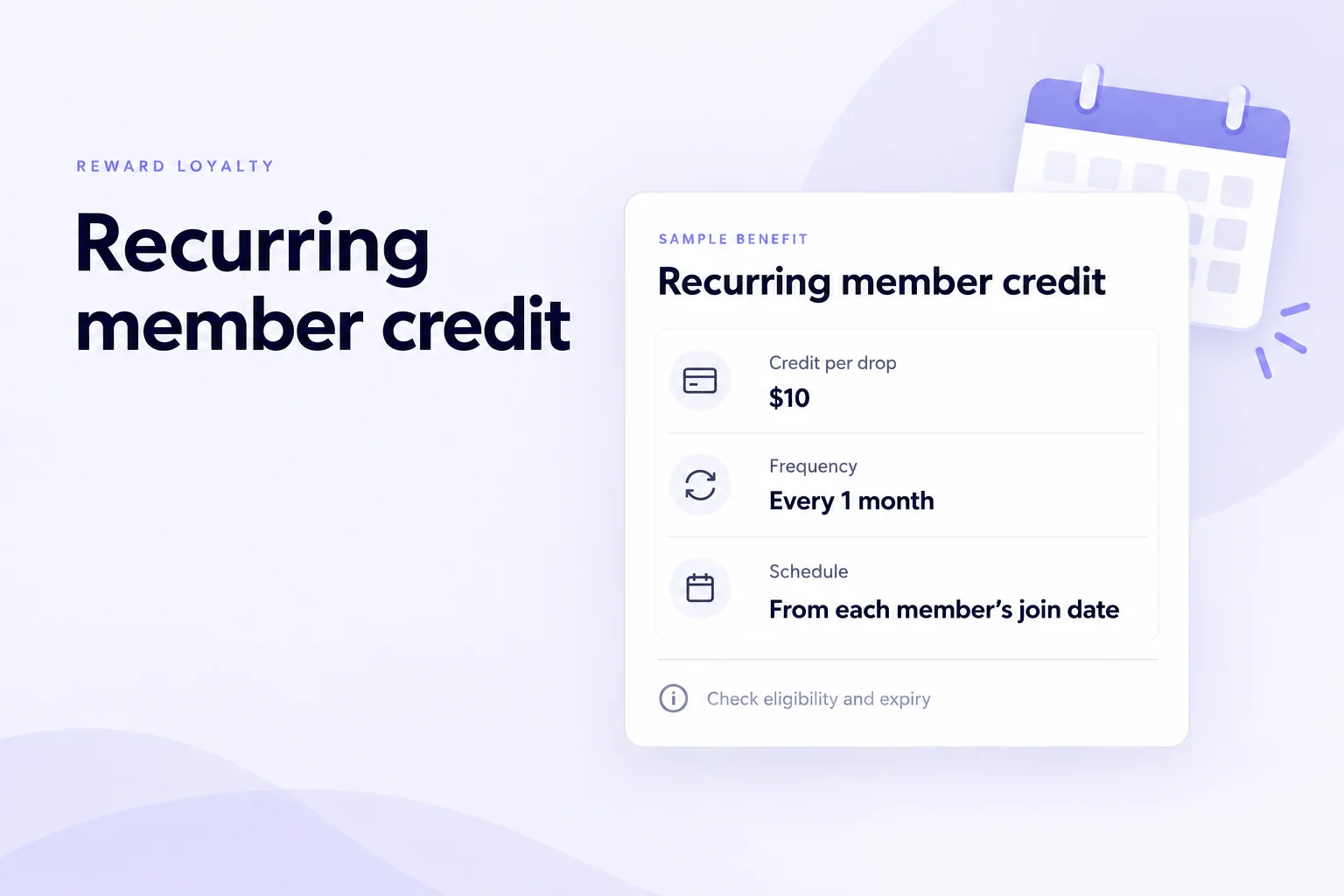
Recurring credit on a schedule you choose
Loyalty drops issue a configured amount of credit on a recurring schedule. For example, a merchant can sell an annual membership and configure $10 credit every month for eligible members. The credit amount is not calculated from each membership payment.
One-time passes can also include recurring credits. Configure the membership access period, credit interval, expiry and first-credit timing. Memberply checks one-time grants every five minutes and stops new grants when access ends. Dates before setup are excluded; missed dates can be recovered while access remains active.
Already selling a pass through a product-page checkbox or upsell? Connect an eligible existing Shopify product when creating a one-time tier. The product must be active, require no shipping, have one variant and have no selling plans. Its product and variant IDs stay the same. Test your upsell app's paid order flow before launch. See tier setup instructions.
Choose fee-to-store-credit if the purpose is to return successful membership payments as credit. Choose loyalty drops when you want to set the amount and frequency separately. This page covers scheduled membership rewards, not a recurring cash top-up or a credit-card charge.
Start with customers who naturally buy again. A replenishment store might align the benefit with a purchase cycle; a store with infrequent purchases should check whether members can use the credit before it expires. Issuing credit does not by itself establish higher retention.
Example: annual membership, monthly credit
On smaller screens, scroll to see every column.
| Decision | Sample offer | What to check |
|---|---|---|
| Membership billing | $120 per year. | This is the merchant’s sample customer price, not Memberply’s app fee. |
| Loyalty drop | $10 every 1 month. | Confirm the member remains eligible on each scheduled date. |
| Schedule | A member whose subscription starts on the 15th has subsequent monthly dates on the 15th. | Each member has their own schedule; this is not a shared first-of-month campaign. |
| Budget | Twelve $10 grants represent $120 of credit at face value. | This is a budgeting scenario, not a guarantee of twelve grants within a term. Verify initial timing, eligibility and cancellation. |
If that member later applies $10 native credit to a $40 merchandise order, $30 remains before additional taxes or shipping, assuming no other discounts. Credit redemption is not another $10 cash receipt. Include goods, fulfilment, payment fees and other perks when judging the offer.
For recurring subscriptions, the first grant is not promised instantly at signup. Drops are processed by a daily schedule, and timing depends on when the subscription exists and qualifies. Test the first grant before describing it in your offer. Use a separately configured sign-up credit benefit for a joining reward, and budget both if you enable both.
Set the amount, frequency and expiry
In Memberply, open Benefits, choose the tier’s Edit Benefits, enable Loyalty Drops and click Edit. Enter the benefit name, description, fixed credit amount, frequency and validity period, then save.
On smaller screens, scroll to see every column.
| Setting | How it works |
|---|---|
| Frequency | Choose an interval in days, months or years, anchored to the subscription start date. Every 30 days and every 1 month are different schedules. |
| Expiry | Choose days, months, years or No Expiry for each new credit grant or legacy code. Changing this setting does not rewrite existing grants. |
| Calendar timing | For monthly intervals, short months can move a month-end date to the last valid day. Test month-end joins and your store timezone before stating a delivery date. |
| Missed dates | Do not promise automatic backfilling of skipped drops. The current process checks the scheduled date rather than issuing a backlog when eligibility returns. |
Follow the Loyalty Drops setup guide. Explain the amount, schedule and expiry together so members know what they receive and when they can use it.
Who qualifies, and when do drops stop?
For recurring tiers, the drop process requires an active subscription with a next billing date, no recorded cancellation date, and a last payment status that is successful or not yet recorded. The benefit must be enabled and configured. An active benefit-access pause also prevents a drop. A customer tag or an imported member record alone does not establish eligibility.
On smaller screens, scroll to see every column.
| Case | What the merchant should know |
|---|---|
| Failed payment | A recorded failed last payment prevents a scheduled drop while that status remains. Recovery does not guarantee a missed grant will be issued later. |
| Scheduled cancellation | A recorded cancellation date stops new drops, including an end-of-period cancellation scheduled for the future. Other membership access may remain until that date. |
| Cancelled or paused | A cancelled subscription is not eligible. A subscription or benefit-access pause can also prevent credit from being issued. |
| Already-issued native credit | Stopping drops does not automatically debit native Shopify credit already issued. Existing expiry, spending and separate balance adjustments still apply. |
Test cancellation separately from balance redemption. Legacy discount-code access and redemption should be checked in that account experience; do not assume it behaves like native credit.
Check native credit and legacy account requirements
Shopify customer accounts: members receive native store credit. Enable Store credit, then test customer sign-in, the visible balance and a later purchase. Check the currency if you sell across markets.
Legacy customer accounts: members receive discount codes in their Memberply portal and apply them at checkout. These are not native Shopify credit balances. Test code eligibility and discount combinations separately.
Shopify requires customer-account sign-in or Shop Pay to redeem native credit, with a balance matching checkout currency. Draft and edited orders do not accept it. Do not assume credit will pay a membership renewal: subscription renewal redemption requires app support and customer opt-in. See Shopify’s store-credit requirements and Memberply’s store-credit overview.
Choose the credit benefit that fits your offer
On smaller screens, scroll to see every column.
| Benefit | Main trigger | Useful for |
|---|---|---|
| Loyalty drops | Configured schedule and eligibility. | A fixed amount of credit independent of the membership charge amount. |
| Fee to store credit | Successful membership payment. | Returning the membership fee as credit. |
| Sign-up store credit | Joining the membership. | A welcome incentive rather than an ongoing schedule. |
Adding all three can increase the credit you fund. Map the joining reward, recurring grants and fee credit together before advertising a combined package.
Budget for recurring credit as well as the app
Memberply Growth costs US$49/month, with unlimited members, a 14-day app trial and no Memberply transaction fee. Review the Shopify App Store listing. The trial applies to your app subscription, not to membership purchases by your customers.
With 100 eligible members receiving a $10 grant in one cycle, the issued credit has a $1,000 face value. Track issuance, redemption and outstanding balances separately. This is not a $1,000 cash payout or a profit calculation; budget for the goods and fulfilment supplied when credit is spent.
Shopify and payment-provider costs remain separate. Shopify lists fees on credit-paid amounts for stores created on or after May 12, 2025; review its current credit fee rules. Plan the wider offer with the paid membership launch guide and loyalty cost guide.
A practical recurring-credit trial checklist
On smaller screens, scroll to see every column.
| Check | Evidence to record |
|---|---|
| Configuration | Amount, frequency, expiry and tier are correct. Use a controlled test membership. |
| First and later drops | Record the initial grant timing and a subsequent scheduled grant. A monthly interval may extend beyond the app trial, so use an appropriate short test interval or arrange a longer validation period. |
| Eligibility changes | Check a failed payment, pause and scheduled cancellation. Confirm the actual grant outcome before writing customer promises. |
| Customer checkout | Sign in, find the credit or legacy code and redeem it on a later order. Check currency and other discounts. |
| Expiry and balance | Inspect the grant expiry, remaining credit after spending and already-issued balance after cancellation. |
| Offer cost | Add any sign-up reward, fee credit and other perks to your delivery and product costs. |
Recurring store credit questions
Can Memberply issue recurring Shopify store credit?
Yes. Loyalty drops let you configure a fixed credit amount and an interval in days, months or years for eligible paid memberships, including one-time payment tiers.
Can an annual membership include monthly credit?
Yes. An annual subscription or a one-time membership with one year of access can include monthly credit. For a one-time pass, choose the first credit at enrollment for 12 scheduled grants before expiry, or after one month for 11. Access must remain active.
Is every month the same as every 30 days?
No. Monthly intervals follow calendar months from the subscription or one-time membership start date; a 30-day interval follows elapsed days.
Will all members get credit on the first of the month?
No. The schedule is anchored to each subscription or one-time membership’s start date, rather than a shared calendar campaign date.
What happens after a failed payment or scheduled cancellation?
A recorded failed last payment prevents drops while that status remains. A recorded cancellation date also stops new drops, even when cancellation takes effect later. Skipped grants are not promised automatic catch-up.
Does cancellation remove credit already issued?
Cancellation does not automatically debit native Shopify credit already issued. Its existing expiry and balance rules still apply. Test legacy discount codes separately.
Can recurring credit expire?
Yes. Set a validity period or No Expiry for each new grant. Changing the setting does not alter credit already issued.
Merchant proof
Merchants use Memberply to launch practical membership programs
Real reviews point to the same conversion concerns: clear value, native store features, sensible pricing and responsive support.
"The app is great and does exactly what i need it to. It is well priced and Doug is so great."
Olverum Official Store
United Kingdom
"Works with Shopify's native store credit and checkout. Their pricing is fair, and their support is legendary."
Puzzery
Canada
"Our store is based in Argentina so we don't have access to Shopify Payments... Memberply solved it."
Elemental Outfit
Argentina
Give members a reason to return
Explore recurring credit with Memberply’s 14-day app trial.