
Give failed membership payments a recovery window
Set the interval and failed-attempt limit for membership payment retries. Understand recovery, member access and cancellation before choosing your settings.
Memberply Growth: US$49/month, unlimited members and a 14-day app trial.
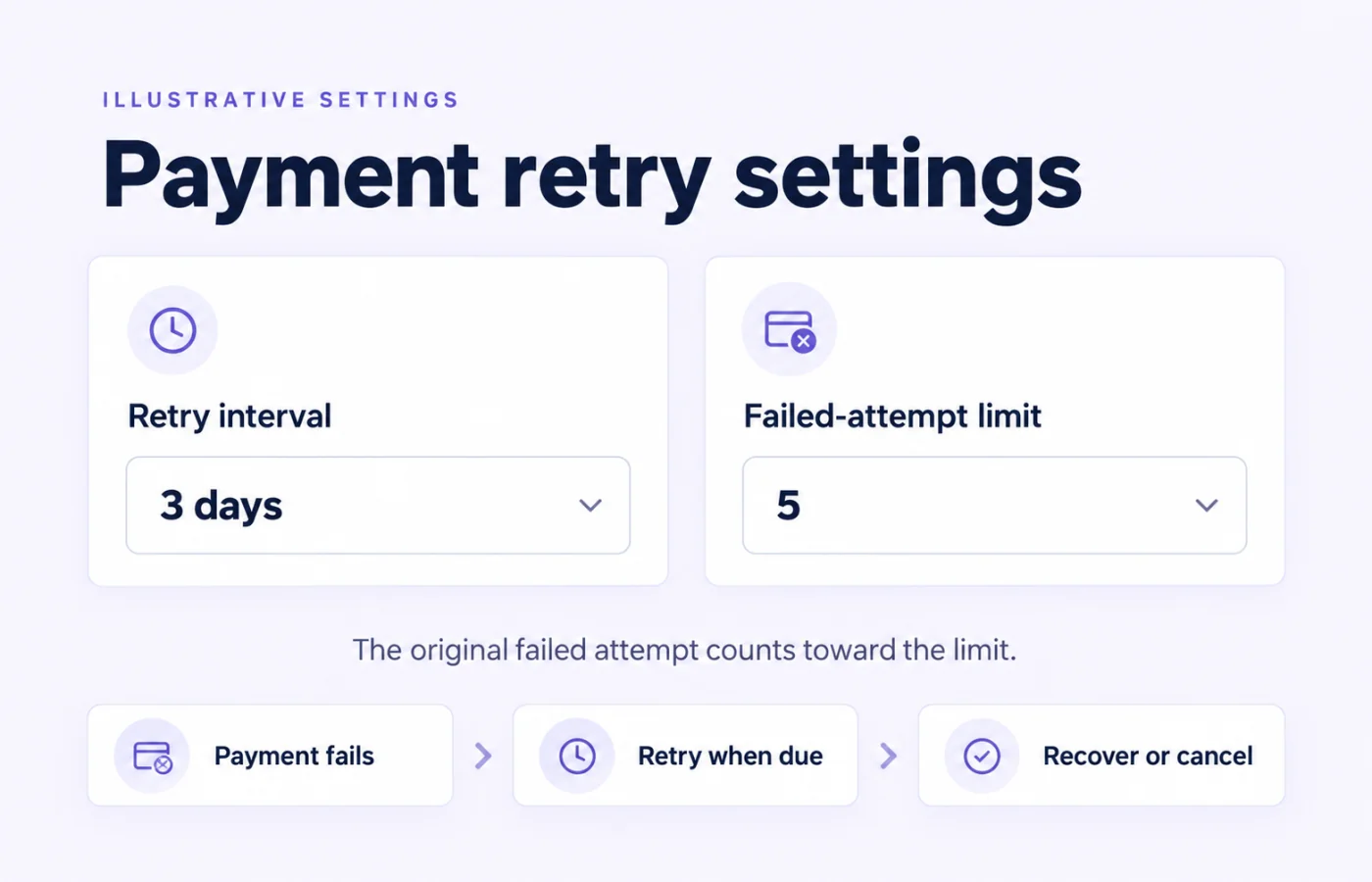
Payment recovery for recurring Shopify memberships
Memberply retries failed recurring membership payments using a store-level interval and attempt limit. This gives a failed payment another opportunity to succeed before the subscription is cancelled. Payment recovery is also called dunning.
Use this for recurring memberships managed by Memberply, such as monthly or annual tiers. It is not an abandoned-checkout tool or a promise to recover subscriptions managed by another app. Free and one-time memberships do not create recurring payment attempts. Compare membership billing options if you are still deciding how customers should pay.
How membership payment retries work
On smaller screens, scroll to see every column.
| Stage | What happens |
|---|---|
| Payment fails | The failed payment is recorded while the subscription can remain active. |
| Retry becomes due | Memberply uses the most recent failed attempt and the configured interval to determine the next retry date. |
| Payment succeeds | Successful billing is recorded through Shopify’s billing result. Confirm the successful payment before treating the issue as resolved. |
| Failure limit is reached | Memberply requests cancellation and records the subscription as cancelled after Shopify confirms it. |
Retries run through background processing. The interval is measured in days and the worker compares calendar dates in UTC; it is not a guarantee of a charge at an exact hour. A scheduled cancellation or a subscription that is no longer active can stop it from being eligible for retry.
Understand the failed-attempt limit before saving
Open Settings > Retry Failed Payments to set the interval and maximum attempts. The settings screen accepts whole numbers from 1 to 30 for each field. When no saved settings exist, the retry worker uses a three-day interval and a limit of five.
The original failed billing attempt counts toward the limit. Although the setting is labelled Maximum Number of Retry Attempts, the current cancellation check examines the latest billing attempts and cancels when the configured number are all failures. A limit of five does not mean five extra retries after the original failure.
With a limit of one, the original failure can meet the cancellation threshold before another attempt. Choose the limit with that behavior in mind, and review existing failed subscriptions before lowering it. Saved store settings are used when the worker next evaluates those subscriptions.
Follow the retry settings guide for the setting locations. Retry timing and the attempt limit are separate decisions; avoid promising members a fixed grace period based only on multiplying the two numbers.
What happens to membership access during recovery?
A failed billing attempt records a failed payment status; it does not by itself immediately cancel the membership. The retry process evaluates active subscriptions. Access can therefore continue while recovery is pending, subject to the membership’s other expiry and cancellation rules.
When the failure threshold is reached, Memberply requests Shopify cancellation. Membership access is then updated through cancellation processing. Do not promise that every benefit ends at the exact instant of the final failed charge or that all members receive an identical number of access days.
Benefits tied to successful payment have their own conditions. For example, fee-to-store-credit rewards require a successful paid renewal; a failed charge is not an earned credit payment.
Help members update payment details or confirm a charge
Some payment issues need customer action. In Shopify admin, open the customer’s profile and use Payment methods to send a link to update the saved card. Shopify says those update links expire after 48 hours. Resend an expired link from the customer profile. See Shopify’s payment-method guidance.
A bank may instead require confirmation of a subscription charge. Shopify sends a separate confirmation email for that challenge. Updating a card and confirming a challenged payment are different actions; follow the actual payment status.
A card update alone is not proof that money was collected or that a cancelled subscription has restarted. Check the subsequent payment result and current membership status before telling the member recovery is complete.
Coordinate payment reminders with the real billing state
Write reminders around the member’s next useful action: update the saved payment method, complete bank confirmation or contact your team. Explain what happens to membership benefits in terms that match your actual settings.
Use the failed payment email examples for message ideas. Those editorial examples do not activate a sequence, and configuring the retry interval does not create a custom multi-email campaign.
Check the payment status before each follow-up and stop failure reminders after a confirmed successful payment or when the membership has ended. See member emails for the separate email feature.
After retries are exhausted
The retry limit is a cancellation threshold, not an unlimited collection process. Memberply records the cancellation only after Shopify confirms it; if confirmation fails, the cancellation remains unresolved for a later check.
Review the subscription and member record before deciding the next step. Do not assume that sending a payment-update link will reactivate a cancelled membership or automatically collect an old failed charge. A returning customer may need to join again under the tier’s current eligibility and rejoin rules.
Payment recovery also differs from a voluntary cancellation. Use the cancellation reasons feature to understand why members choose to leave, alongside payment-status checks for failed renewals.
Payment recovery app pricing and evaluation
Memberply Growth costs US$49/month, with unlimited members, a 14-day app trial and no Memberply transaction fee. See current Shopify App Store pricing. Shopify and payment-provider charges remain separate.
Evaluate payment recovery as part of the full membership program: tier billing, member benefits, account access and support. The paid membership launch guide helps connect those decisions. No retry schedule guarantees a successful charge or a particular recovery rate.
What to check before relying on retries
On smaller screens, scroll to see every column.
| Check | Confirm |
|---|---|
| Billing scope | The recurring membership is managed by Memberply and its subscription is eligible for retries. |
| Attempt counting | The limit includes the original failure, rather than promising that many additional attempts. |
| Timing | The interval fits your policy without promising an exact retry hour or fixed grace period. |
| Member action | Your team can locate Shopify’s saved-card update action and recognize a bank confirmation request. |
| Access and cancellation | You understand pending recovery, confirmed cancellation and the member’s actual benefit access. |
| Recovery confirmation | You check a successful payment result, not just a clicked email or updated card. |
Use controlled test subscriptions when testing failure and cancellation paths. Measure confirmed recovered payments over a consistent period, and separate those from unresolved failures and cancellations. Do not deliberately trigger failed charges on real member accounts to test your settings.
Shopify membership payment recovery questions
Does Memberply retry failed membership payments automatically?
Yes. Memberply evaluates eligible active subscriptions with failed recurring payments and retries them using the store’s configured interval and limit.
Does a limit of five mean five additional retries?
No. The current cancellation check counts consecutive failed billing attempts, including the original failure. A limit of five is not five extra retries after that failure.
Can I choose the time between payment retries?
Yes. The settings screen accepts a whole-number interval from 1 to 30 days. Background processing uses dates rather than promising an exact charge time.
Are member benefits removed as soon as one payment fails?
A failed billing attempt does not by itself immediately cancel membership. Access can continue during recovery, subject to other expiry or cancellation rules. Cancellation and benefit updates are processed separately.
How can a member update a saved card?
Use the customer’s Payment methods section in Shopify admin to send a card-update link. Shopify says that link expires after 48 hours; resend it from the profile if needed.
Does updating a card mean the membership payment succeeded?
No. Check the subsequent payment result. Updating a card alone does not confirm collection or automatically restart a cancelled subscription.
Does configuring retries create a payment reminder campaign?
No. Retry timing is a billing setting. Review email features and any separate reminder workflow independently.
Can retries recover memberships billed by another app?
This feature is for recurring membership subscriptions managed by Memberply. Do not assume it can recover subscriptions managed by another app.
Merchant proof
Built for stores that want membership revenue without heavy setup
Read what merchants say about using Memberply for their membership programs.
"The app is great and does exactly what i need it to. It is well priced and Doug is so great."
Olverum Official Store
United Kingdom
"Works with Shopify's native store credit and checkout. Their pricing is fair, and their support is legendary."
Puzzery
Canada
"Our store is based in Argentina so we don't have access to Shopify Payments... Memberply solved it."
Elemental Outfit
Argentina
Plan your membership payment recovery
Review billing, benefits and recovery settings with a 14-day app trial.