
Welcome members and remind them before benefits expire
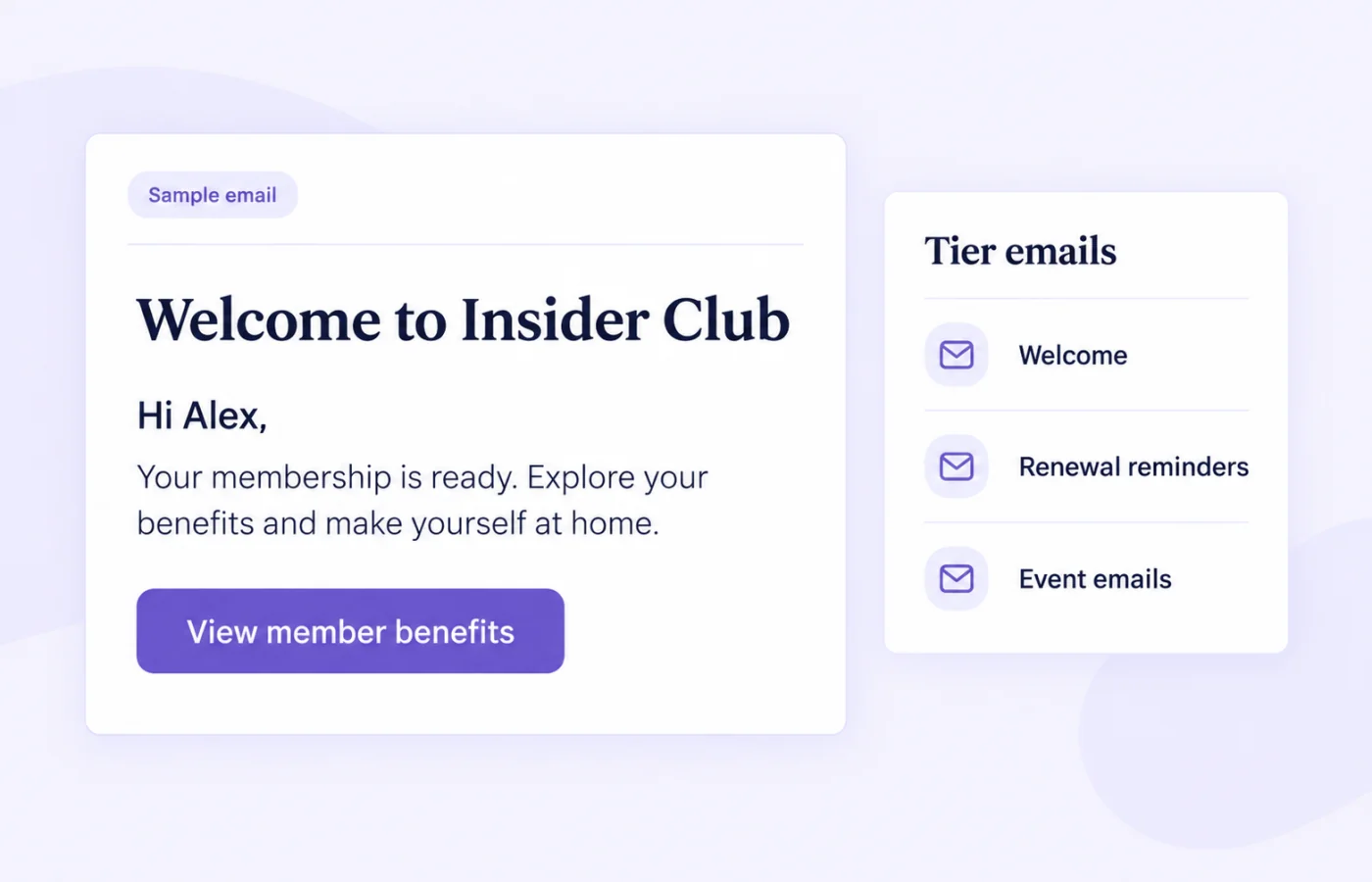
Manage welcome emails, renewal reminders and member event messages by tier. Give each member a clear next step without setting up a separate marketing flow.
Memberply Growth: US$49/month, unlimited members and a 14-day app trial.
Can Memberply handle member emails without another email app?
Yes. Memberply includes built-in emails for welcoming customers after a membership purchase, reminding eligible members before access expires, and communicating about member events. Edit the supported templates by membership tier and enable the messages you need.
Use these emails for membership service moments. For custom marketing segments, win-back campaigns or a sequence beyond the built-in triggers, use an email platform such as Klaviyo with Memberply membership data. Connecting an integration does not automatically create or activate those flows.
Compare the built-in membership email types
On smaller screens, scroll to see every column.
| Email type | When it is used | What to check |
|---|---|---|
| Purchase welcome | After a Shopify membership purchase, when enabled. | Customize the tier’s welcome message and explain where to use its benefits. |
| One-time paid renewal reminders | 14, 7 and 1 day before an expiring one-time paid membership ends. | Each reminder is optional. The renewal button links to checkout with the membership product. |
| Free or gift expiry reminders | 14, 7 and 1 day before an eligible free-tier member’s benefits expire. | Disabled by default. Set the button destination; the default is your store homepage. |
| Member event emails | Event announcements, reminders and waitlist opening messages. | Configure the relevant member event and its email settings. |
| Built-in transactional messages | Supported actions such as points earned, store credit, discount codes or member login links. | Choose a store-wide transactional language; the wording of custom templates is separate. |
| Imported or manually added member emails | Built-in welcome messages, payment invitations and reminders for the import or manual-add workflow. | These use a separate editor. Customization requires approval from Memberply support. |
Available messages depend on the tier and workflow. These expiry reminders are not a configurable reminder before every monthly subscription charge. For failed recurring payments, see payment retries and recovery.
Renewal reminders for one-time paid memberships
A one-time membership can have an access period that ends unless the customer buys again. Enable any of the three reminders to explain what continues with renewal and give the customer a direct way to renew.
Memberply adds the membership product to the renewal checkout link. If you have configured an early-renewal incentive, the link includes that discount. Disabling all three reminders sends no fallback expiry notification.
The schedule uses the expiry date, not an arbitrary marketing delay. A membership without an expiry does not need this renewal sequence. Review your membership tier and billing model before choosing the messages.
Expiry reminders for free and gift memberships
Free-tier reminders use the member’s individual access end date, including an imported EndDate. If no individual date exists, they use the tier’s expiry duration and join date. Members with no expiry do not receive these reminders. Dates and the daily schedule use UTC.
Set the button to the page where members can choose their next membership. Memberply does not create a renewal checkout link for a free gift tier or move the member to a paid tier automatically.
Only active members are eligible. Memberply rechecks the membership and expiry before sending: an extension moves future reminders to the new schedule, and changing away from the gift tier stops its reminders. A successfully sent reminder is not repeated for the same expiry and interval.
Use {{first_name}} and {{expiry_date}} in reminder subjects and bodies. The date uses the current expiry in UTC, so it is more useful than typing a fixed calendar date into every member’s message.
Customize emails by tier, then preview and enable them
- Open Store setup > Emails, choose the tier and select Edit Emails.
- Select the email and edit its From Name, Subject and design. The visual designer supports text, images, links, spacing and colors.
- Review the on-screen preview while the email is still disabled. Check the benefit details and button destination.
- Save and enable only the messages you intend to send. Each reminder has its own toggle.
Purchase welcome, one-time renewal, free expiry and member event emails use the visual designer. Imported-member messages use a separate text editor with protected buttons after support approves customization. See the email customization guide.
Choose a language for built-in transactional emails
The transactional email language is a store-wide setting under Emails. Options include English, German, Spanish, Filipino, French, Hindi, Italian, Japanese, Portuguese, Swedish, Turkish and Chinese.
Changing it does not translate wording you have written in a custom welcome or reminder template. Write those messages in the language you want members to receive. It is not automatic language selection for each recipient.
When to use native emails and when to use Klaviyo
On smaller screens, scroll to see every column.
| Need | Where to handle it |
|---|---|
| Welcome and explain the tier’s benefits | Use the enabled purchase welcome email and link to the member portal. |
| Remind customers to renew an expiring one-time membership | Use the optional native 14, 7 and 1 day reminders. |
| Invite a former member back with a custom sequence | Build the audience and flow in Klaviyo using verified membership properties and appropriate sending permissions. |
| Use custom timing around access expiry | Configure a separate Klaviyo date-based flow using the synced access expiry; it is not the next billing date. |
Choose one system for each reminder purpose. If Klaviyo handles expiry reminders for a tier, leave the equivalent native reminders disabled to avoid duplicate messages. Active membership is separate from marketing consent.
For original message ideas and lifecycle planning, read our Shopify membership email examples. Keep the message focused on the member’s actual benefits and one relevant next step.
Included in your membership app setup
Memberply Growth costs US$49/month, with unlimited members, a 14-day app trial and no Memberply transaction fee. Check the Shopify App Store listing.
A separate Klaviyo subscription is not required for these native member emails. If you choose an external marketing platform, its plan and sending charges are separate. Unlimited members is not a promise of unrestricted bulk email sending.
Plan communication alongside the offer with the paid membership launch guide.
What to review during your app trial
On smaller screens, scroll to see every column.
| Check | Confirm before enabling |
|---|---|
| Tier and trigger | The selected email applies to the tier’s purchase, renewal, expiry or event workflow. |
| Content and destination | The preview names the right benefits and links to the right portal, renewal checkout or next-membership page. |
| Personalization and language | Keep supported placeholders intact and review custom wording separately from transactional language. |
| Expiry and overlap | Check the current access end date, enabled reminder intervals and any equivalent external flow. |
Shopify membership email questions
Does Memberply send automated membership emails?
Yes. Built-in messages cover purchase welcomes, eligible membership renewal and expiry reminders, member events and supported transactional actions. Available emails depend on the tier and workflow.
When are one-time membership renewal reminders sent?
The optional reminders are scheduled 14, 7 and 1 day before expiry. Each has its own toggle, and paid one-time tiers use a direct renewal checkout link.
Can free or gift members receive expiry reminders?
Yes. Enable the optional reminders for the free tier. They use the individual access end date or the tier’s duration and join date. Members without an expiry receive no reminders.
Do expiry reminders notify members before every subscription payment?
No. These reminders concern expiring access for eligible one-time or free tiers, not each recurring subscription billing date.
Can I edit an email before enabling it?
Yes. Edit and preview supported emails while disabled, save your changes, then enable only the messages you want to send.
Does the language setting translate my custom email copy?
No. It changes built-in transactional emails store-wide. Custom welcome and reminder templates keep the wording you entered.
Do I need Klaviyo for native member emails?
No. Klaviyo is optional for custom marketing audiences and flows beyond the built-in messages. Disable equivalent native reminders if an external flow handles that purpose.
Can I customize emails for imported members?
Yes, after approval from Memberply support. Imported and manually added member messages use a separate text editor with protected buttons.
Merchant proof
Merchants use Memberply to launch practical membership programs
Real reviews point to the same conversion concerns: clear value, native store features, sensible pricing and responsive support.
"The app is great and does exactly what i need it to. It is well priced and Doug is so great."
Olverum Official Store
United Kingdom
"Works with Shopify's native store credit and checkout. Their pricing is fair, and their support is legendary."
Puzzery
Canada
"Our store is based in Argentina so we don't have access to Shopify Payments... Memberply solved it."
Elemental Outfit
Argentina
Make every member email useful
Explore tier emails and previews with a 14-day app trial.