
Create a page that sells your membership
Explain your benefits, compare membership options and give shoppers a clear way to join. Customize a starter page in Memberply or connect buttons on your existing page.
Memberply Growth: US$49/month, unlimited members and a 14-day app trial.
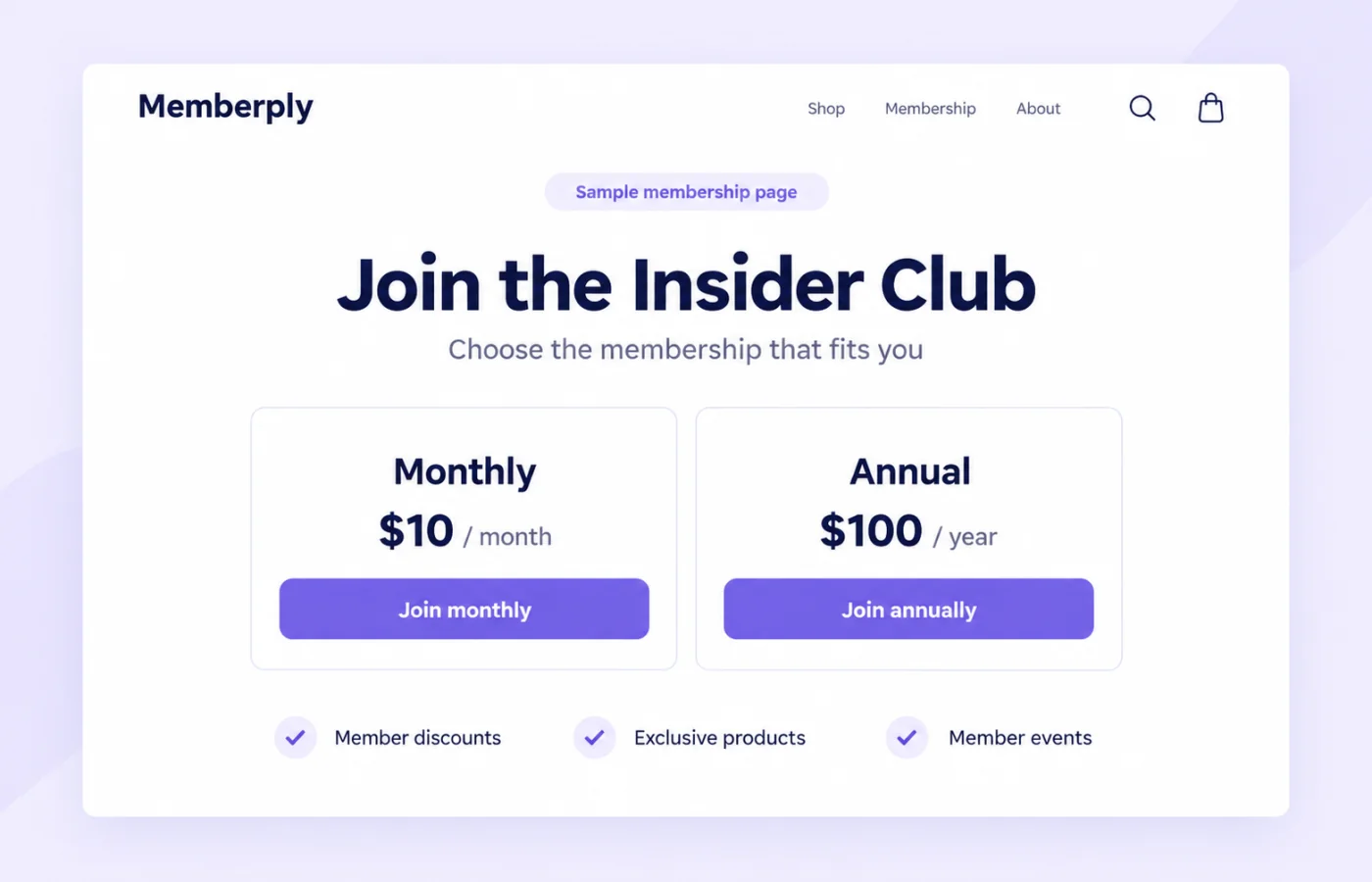
A membership signup page for your Shopify store
Memberply includes a visual landing page editor for presenting your membership program. Start with a supplied design, change the content and appearance, then publish the page to your Shopify store. You can edit the design without writing page code.
The page explains the offer; your membership tier settings control the actual price, billing and benefits. Set up and enable at least one tier first, then make the page copy and Join buttons match that offer.
Use the built-in editor or keep your existing page
On smaller screens, scroll to see every column.
| Option | What you do | Best fit |
|---|---|---|
| Memberply landing page | Edit the starter design, connect the right Join destinations and select Save and Publish. | You want a dedicated membership page using the editor included with Memberply. |
| Existing page or page builder | Generate code to connect a specific button to a membership tier and paste it on that page. | You already have a design and can add custom scripts in your page builder. |
| Custom product builder or bundle | Have a developer add the membership cart line to your existing product-selection flow. | Customers must make product choices before adding the membership and other items together. |
For layout inspiration, see membership landing page examples. This feature page explains the tools and setup requirements so you can decide how to build your own.
What can you customize?
On smaller screens, scroll to see every column.
| Page element | How to use it |
|---|---|
| Page title and headline | Name the program and explain who it helps. |
| Text and sections | Describe the actual membership benefits, eligibility and how customers use them. |
| Layout and styling | Adjust the arrangement, typography, colors and spacing to fit your store. |
| Images and buttons | Use relevant visuals and connect each call to action to the intended membership journey. |
| Membership pricing copy | Show the price, billing interval and any relevant trial or joining-fee terms from your tier settings. |
Editing a price or benefit description in the page designer does not change the membership configuration. Review the published page whenever you change your offer. Replace starter text, sample images and placeholder button links before promoting it.
Create, publish and link your membership page
- Create and enable the membership tier you want to sell.
- Open Landing Page in Memberply and enter the page title.
- Customize the starter design in the visual editor. Review the tier details and every Join button.
- Select Save and Publish, then View Page to open the live page on your store.
- Test the published page on mobile and desktop, then add its link to your store menu and relevant promotions.
Save and Publish publishes your changes, so review the design before using it. Reset design restores the original starter inside the editor; publish again when ready. Unpublish removes the live landing page. It is not a membership cancellation action.
Follow the landing page setup guide for the current workflow.
Example: present monthly and annual membership options
The hero shows an illustrative merchant offer: $10 per month or $100 per year. Those amounts are customer membership prices, not Memberply’s app subscription price. They are not a required pricing structure or a promised result.
If you choose those options, configure them in the tier first, display the billing interval clearly and connect each Join button to its matching purchase option. List only the benefits you have actually enabled, including relevant conditions on discounts, exclusive products or member events.
Give regular shoppers enough information to judge the offer: what they receive, when it starts, what it costs and how they manage it. Link to the member portal where appropriate so existing members can find their benefits.
When might you need a developer?
The built-in visual editor lets you change the page design without coding. Connecting an existing button involves pasting generated JavaScript and may require help if your builder restricts scripts or uses a custom cart.
For bundles, configurators or other flows that wait for product selections, use the custom storefront option for adding the membership with other products. A developer must connect that code to the completed selection and cart request. A marketing landing page does not itself create a member dashboard, gate content or define membership eligibility.
Landing page tools within your Memberply plan
Memberply Growth costs US$49/month, with unlimited members, a 14-day app trial and no Memberply transaction fee. Check the Shopify App Store listing.
Your customer membership prices are separate from this merchant app subscription. If you choose an external page builder or hire a developer for custom storefront work, budget those costs separately.
Use the paid membership launch guide to plan the offer, benefits and customer journey together.
What to check before promoting the page
On smaller screens, scroll to see every column.
| Check | What to verify |
|---|---|
| Offer accuracy | Displayed prices, intervals, trial terms and benefits match the enabled tier. |
| Join buttons | Each button adds the intended membership and purchase option; the cart shows the correct terms. |
| Mobile layout | Headings, images, pricing and buttons are readable in the published storefront theme. |
| Customer journey | Review the cart and checkout, then the member’s access experience using a controlled test. |
| Discovery | The published URL works from your store menu, email and relevant storefront links. |
Membership landing page questions
Can I build a Shopify membership landing page without coding?
Yes. Memberply’s visual editor lets you customize a starter page and publish it to your Shopify store. Review the offer and Join button destinations before publishing. Custom storefront integrations can require code.
Can I use my existing page builder?
Yes, if it supports the generated script. Connect an existing button to a selected membership tier using exact button text or a CSS selector, then test it in your storefront.
Can I show monthly and annual membership pricing?
Yes. Match the page to the options configured in your tier. When connecting buttons for a tier with both options, select the correct purchase option for each button.
Does changing a price on the page change the membership price?
No. The landing page content and membership settings are separate. Update the tier configuration and keep the published copy consistent.
What happens when a connected Join button is clicked?
The generated existing-button integration adds the selected membership to the Shopify cart and opens the cart. Clicking it does not complete checkout or activate membership.
Does Reset design immediately replace the live page?
No. It restores the starter design inside the editor. Publish again when you are ready to replace the live design.
Does unpublishing the page cancel memberships?
No. Unpublish removes the live landing page. Membership management is separate.
Are the $10 and $100 example prices Memberply’s app pricing?
No. They are illustrative customer membership offers. Memberply Growth costs US$49/month with unlimited members and a 14-day app trial.
Merchant proof
Built for stores turning benefits into paid membership revenue
A strong landing page works best when the membership program has clear tiers, useful benefits and support behind the setup.
"The app is great and does exactly what i need it to. It is well priced and Doug is so great."
Olverum Official Store
United Kingdom
"Works with Shopify's native store credit and checkout. Their pricing is fair, and their support is legendary."
Puzzery
Canada
"Our store is based in Argentina so we don't have access to Shopify Payments... Memberply solved it."
Elemental Outfit
Argentina
Give shoppers a clear reason to join
Build and review your membership page with a 14-day app trial.