
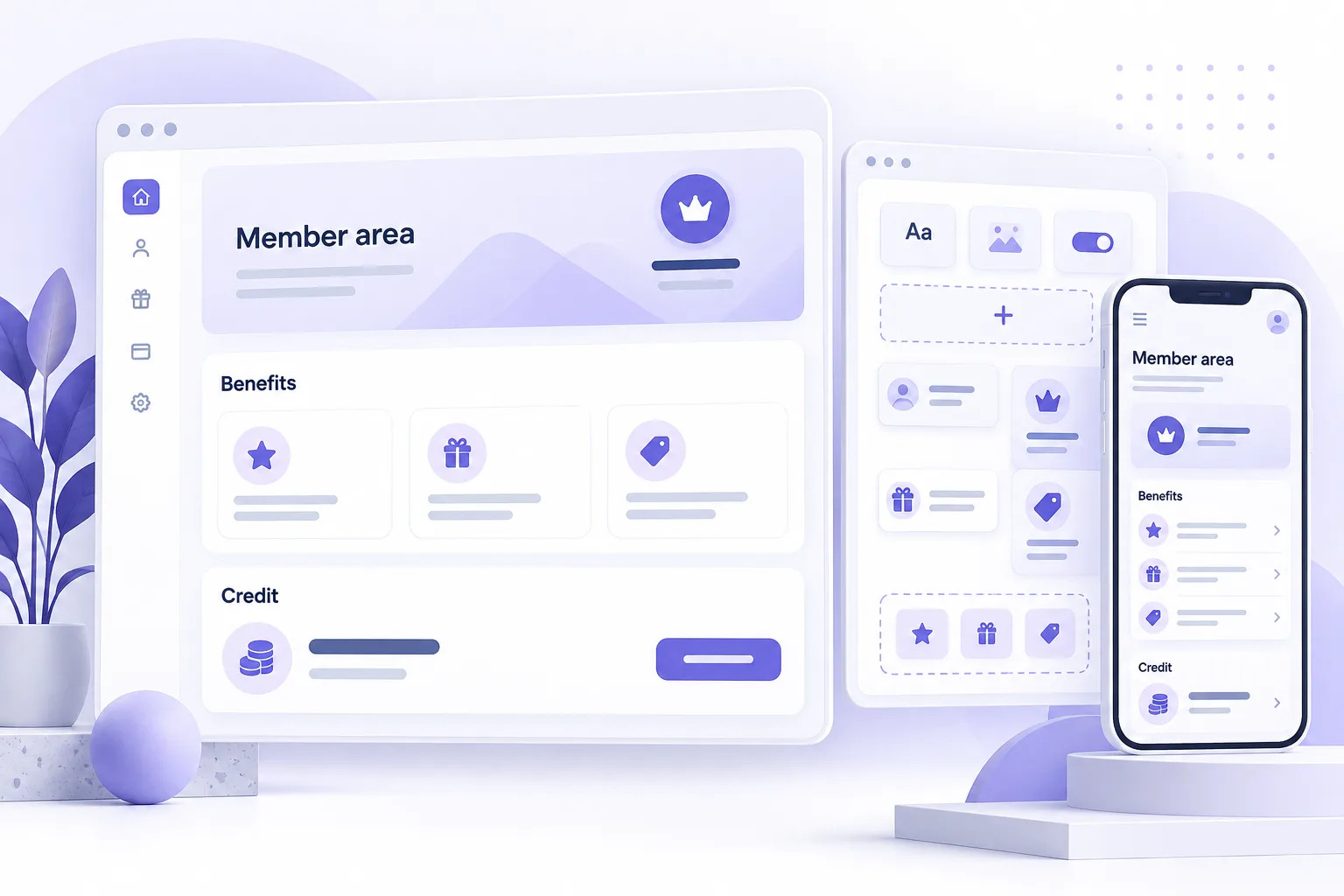
Can you customize Shopify customer accounts?
Yes. Shopify customer account customization can combine account branding, navigation and app functionality. For a membership program, the useful goal is a clear place to see membership information and take the next action.
Shopify supports app blocks in designated locations and full-page account extensions. A dedicated membership page can therefore sit within the account experience. It still uses Shopify’s supported interface system. See Shopify’s account extension overview.
This guide focuses on assessing a member dashboard design. For Memberply’s existing experience, see the member portal. For data moving between systems, use the integration planning guide.
Separate branding, standard features and custom work
| Requirement | Starting point | Check before commissioning work |
|---|---|---|
| Account logo, colours and navigation | Shopify’s account editor and menu settings | Which settings are available for the page and store configuration? |
| Membership details and eligible benefits | Memberply’s standard member area | Can configuration meet the need without new development? |
| A different information hierarchy or workflow | A scoped account extension project | Which components, data and actions are supported? |
| Information from a CRM or internal system | Integration and account design review | Who owns each field, and how is access checked? |
Shopify offers branding settings and account menu customization in its own tools. Available settings should be checked in the store before assuming development is needed. Review Shopify’s customization options.
Memberply Growth gives you all standard features to launch and grow a membership program. Enterprise adds agreed custom work; it is not a requirement for a successful or larger program. Compare standard software and custom project pricing.
What a design needs to respect
Account extensions cannot inject arbitrary HTML, override component CSS or access the account page’s underlying document. Shopify’s components follow the account branding. A standalone website mockup may therefore need adaptation. Read Shopify’s component constraints.
- Specify the job first. “Help members find their next available benefit” is more useful than requiring a particular decorative card.
- Mark flexible details. Separate essential wording and actions from preferred fonts, borders and spacing.
- Keep the account surface clear. A full-page extension adds an experience within accounts; it does not give an app ownership of every Shopify account screen.
- Check data as well as design. A balance or status needs a reliable source and the right customer permissions.
Theme app extensions and customer account extensions serve different surfaces. Theme CSS should not be treated as a way to restyle the new account area. If you have an older theme-based account design, use it as a reference for the required journey and review the implementation separately.
Two dashboard concepts and how to assess them
These are illustrative project concepts, not customer results or promises of included functionality.
Concept A: a benefits-first member page
A retailer wants members to quickly see their tier, eligible benefits and available credit. Start by reviewing the standard Memberply member area with a real test membership. If it already answers those questions, focus on clear navigation and benefit setup.
If the layout still needs work, mark which information should come first on mobile and what each button should do. The project review can then assess a specific change rather than rebuilding an entire dashboard.
Concept B: a membership page connected to another system
A retailer wants to display a service entitlement held in its CRM alongside membership information. This needs more than a new card. Define how the signed-in customer is matched, who can see the entitlement and what appears when the CRM is unavailable.
The review should produce a data map, supported screen proposal and test cases. A decorative progress bar without a defined calculation or source is not yet a build-ready requirement.
How to choose between two designs
Compare the main task, mobile reading order, required data and number of steps. Prefer the option that makes the member’s next action obvious and has fewer unresolved dependencies. Confirm supported components before choosing based on visual polish alone.
Start with Memberply’s standard member experience
Memberply’s member area brings membership details, eligible benefits, points and credit information into the customer journey. What a member sees depends on the program configuration and their eligibility.
For Shopify customer accounts, Memberply provides a membership benefits page that can be added to account navigation. Follow the customer account setup guide and test with a member before commissioning a custom version.
Identify the gap in one sentence: “Members need to see X or do Y, and the standard setup does not cover it.” That becomes the starting point for a custom membership project. A CRM integration or bespoke account workflow is reviewed and quoted separately.
What to send for a design review
- Your store and account setup. Include the store URL, Shopify plan and whether the design is for current customer accounts or an older account experience.
- The member’s main task. Explain what a successful visit should accomplish.
- Desktop and mobile designs. Share a viewable design link or screenshots and identify must-have details.
- Each card’s information source. Name the system behind membership status, balances, entitlements and other fields.
- Button behaviour. Describe what happens after each click, including confirmation or failure.
- Eligibility and exceptions. Include non-members, expired memberships, empty balances and unavailable systems.
- Timing and ownership. Give the target date, decision maker and who will maintain any connected system.
Use the requirements worksheet for a broader project. Remove member personal information and secrets from design examples.
Agree acceptance checks before building
A useful project proposal should name the screens, supported actions, dependencies and exclusions. Agree the review criteria before development starts.
- An eligible member sees the correct membership information; another customer cannot access it by changing a request.
- A non-member or expired member receives the intended explanation and next step.
- Loading, empty and failed responses have clear states instead of misleading balances.
- The layout remains readable on mobile, with usable keyboard focus and labelled actions.
- Every action produces the agreed result, including when it is retried.
- Any store-specific experience is restricted through trusted access checks, not only hidden navigation.
Scope a small working slice first when a design depends on an unfamiliar system. Agree maintenance responsibilities and future changes separately from the initial build.
Customer account customization FAQs
Can I use custom CSS in Shopify customer accounts?
Customer account UI extensions cannot override component CSS or render arbitrary HTML. Design with Shopify’s supported components and use the branding options available in Shopify’s editor.
Can a Figma design be built inside Shopify customer accounts?
A design can be reviewed and adapted. The information, actions and layout may be achievable, while exact fonts, component styling or interactions may need to change. Confirm feasibility before approving a final design.
Does a custom member dashboard require Memberply Enterprise?
Memberply Growth already includes the standard member experience and all standard features. Enterprise is for separately scoped custom development or integrations that your requirements need.
Can a custom experience be available to just one store?
A project can be scoped for one store, with access and data checks enforced for that store. Hiding a card is not an access control. Availability, deployment and testing must be agreed as part of the implementation.
Can a theme app extension change the new customer account pages?
Theme app extensions operate in the storefront theme. Customer account UI extensions are a separate surface. A theme customization should not be assumed to carry over to Shopify customer accounts.