
Sell exclusive products to your Shopify members
Give eligible members access to selected products and collections. Help other shoppers join or sign in, with membership checks at Shopify checkout.
Memberply Growth: US$49/month, unlimited members and a 14-day app trial.
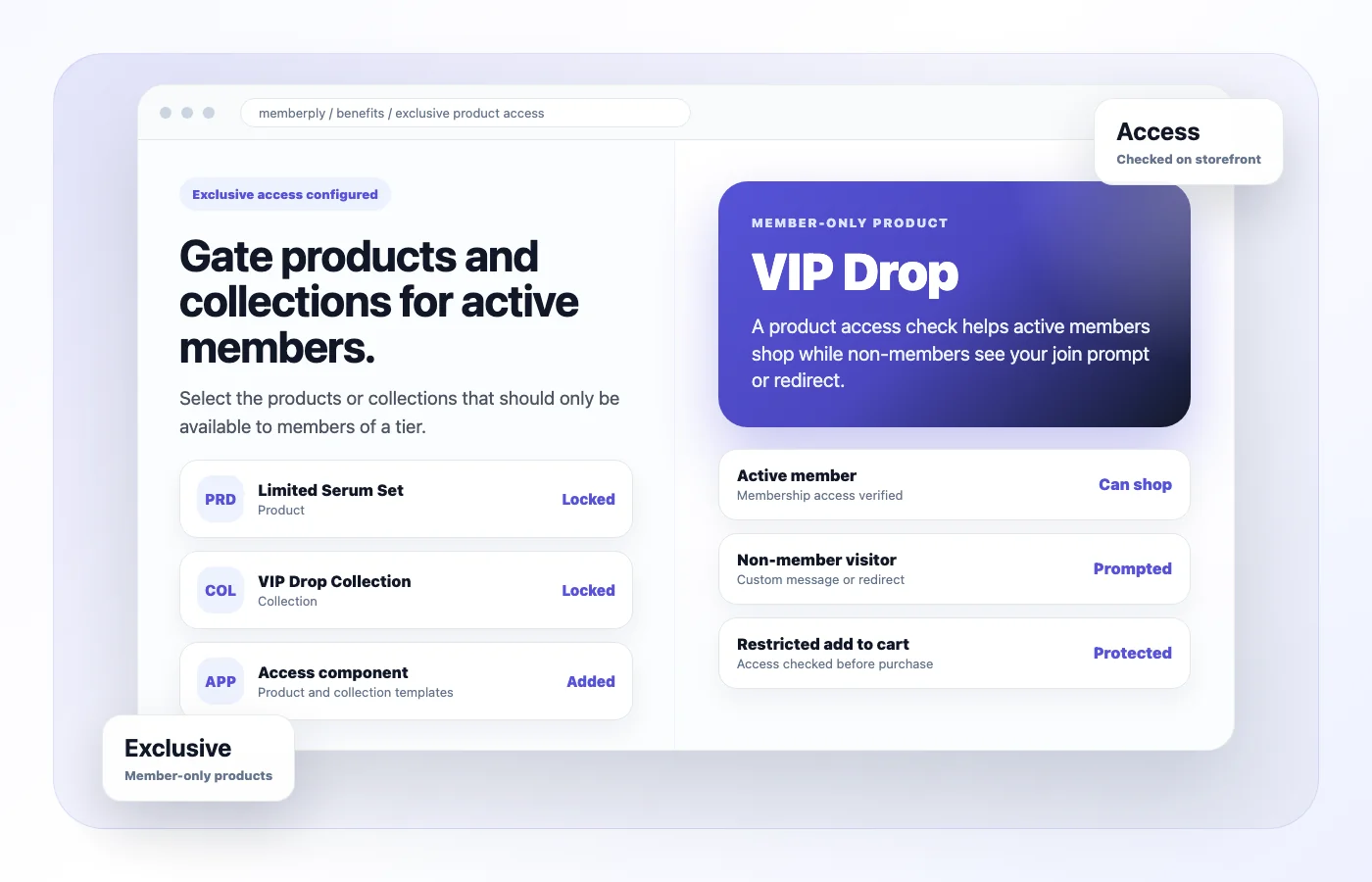
A members-only product app for your membership program
Memberply lets you assign products or collections to a membership tier. A shopper must be signed in, have an active Memberply membership and belong to an allowed tier to buy a restricted item through protected Shopify checkout flows.
Use it for a VIP collection, specialist supplies or a limited member release. Choose products your members value and explain what joining includes. Access does not reserve inventory, guarantee stock or create a discount by itself.
Example: a VIP skincare collection
On smaller screens, scroll to see every column.
| Shopper | Experience |
|---|---|
| Active VIP member | Signs in with their member account and can buy the restricted serum set. |
| Active member in a different tier | Cannot buy unless that tier also permits the product. |
| Visitor without a membership | Sees the configured storefront prompt and can follow your membership sign-up route. |
This is an illustrative offer, not a customer result. Keep an unrestricted membership sign-up page available and explain the join-first shopping flow before promoting the collection.
Hiding a product page and blocking a purchase are different
Storefront guidance: the Memberply theme component checks access on configured product and collection templates. Ineligible shoppers see a message and can be redirected to your chosen destination.
Checkout protection: Shopify checks membership eligibility on its servers. A direct cart link, Buy Now button or Shop Pay checkout does not replace the active-member requirement when protection is correctly synced.
The theme component does not automatically remove every product reference from search results, recommendation cards, feeds or external search engines. If the product’s existence must remain private, review those surfaces separately. Purchase restriction is not a promise of catalog-wide invisibility.
Who can buy a restricted product?
On smaller screens, scroll to see every column.
| Customer or cart | Expected result |
|---|---|
| Signed-out customer | Blocked from buying the restricted item. Sign in with the eligible account. |
| Signed-in non-member or inactive member | Blocked until the account has an active eligible membership. |
| Active member in an allowed tier | Allowed, subject to ordinary stock, payment and other checkout rules. |
| Product available to several tiers | An active membership in any allowed tier can qualify. |
| Restricted and ordinary items together | An ineligible restricted item blocks the cart. Remove it to continue with ordinary items. |
Adding a membership product to the same cart does not grant access to a restricted product. The check reads the customer’s existing active membership. Ask new customers to complete joining first, allow membership activation to sync, then sign in and place their members-only product order.
Set up the benefit and sync checkout protection
- Open Benefits, choose the tier’s Edit Benefits, enable Exclusive Product Access and click Edit.
- Add a clear benefit name and description, select the products or collections, then save.
- Add the Memberply Exclusive Product Access app block to the relevant product and collection templates. Configure the message and redirect for shoppers without access.
- For an existing store, run Sync checkout protection. If prompted, reconnect Memberply, approve the updated Shopify permissions and sync again.
- Test both the storefront experience and checkout with eligible and ineligible accounts.
Saving synchronizes restrictions with Shopify. Memberply also reconciles changes to benefits, tiers and collection contents. After changing a collection or membership rule, confirm the updated result before announcing a release. See the exclusive product access setup guide.
Check access after cancellation and tier changes
Cancellation can end membership access immediately or at the end of the billing period, according to the tier’s policy. Once the customer’s synced membership status is no longer active, restricted purchases are blocked. A scheduled cancellation is not necessarily the same as access ending today.
Changing tiers can also change which products a member may buy. Test the resulting customer status and allowed tiers after synchronization. Avoid promising instant changes across every browser session or sales channel.
Check the sales channels you use
Shopify’s cart and checkout validation supports storefront checkout and accelerated checkout. It does not support Shopify POS, order edits, Create Order API purchases or recurring subscription orders. Do not treat online product protection as a universal restriction on every way an order can be created. Review Shopify’s current channel compatibility.
If you sell in person, define a separate staff eligibility process. Test any headless storefront, draft-order workflow or other sales channel you rely on before offering member exclusivity there.
Product access or locked content?
Choose exclusive product access when the main requirement is who can buy selected merchandise. Choose locked content access when you need member pages or resources. Restricting a page alone is not the same as checking whether a cart may be purchased.
For a broader buying comparison, see Shopify content restriction apps. Keep the membership offer focused: a small, useful exclusive collection can be easier to explain and maintain than hiding most of your catalog.
What does a members-only Shopify store cost?
Memberply Growth costs US$49/month, with unlimited members, a 14-day app trial and no Memberply transaction fee. Check the Shopify App Store listing. Shopify charges, payment processing and product fulfilment are separate.
Your customer membership price and merchandise prices are your own commercial decisions. The app trial is for the merchant subscription, not a free customer membership. Use the paid membership launch guide to plan an offer that covers its costs.
Test these purchase routes during your app trial
On smaller screens, scroll to see every column.
| Test | What to confirm |
|---|---|
| Product and collection templates | Eligible members can shop; other visitors get a clear sign-in or joining route. |
| Direct links and accelerated checkout | A guest or wrong-tier member cannot buy restricted merchandise through a cart link, Buy Now or Shop Pay. |
| Joining and mixed carts | A new shopper joins first. An ineligible restricted item cannot pass checkout beside ordinary products. |
| Tier and collection changes | Updated eligibility and newly added collection products match the intended restrictions after sync. |
| Cancellation | Immediate and end-of-period policies produce the intended access change. |
| Discovery and other channels | Check search cards, feeds, recommendations and any in-person or alternate order process separately. |
Members-only product questions
Can I create members-only products on Shopify?
Yes. Memberply assigns selected products and collections to membership tiers. Protected checkout requires a signed-in customer with an active membership in an allowed tier.
Does Memberply hide products everywhere?
No. The configured theme component controls the product and collection page experience. It does not automatically remove every reference from search, recommendations, feeds or external search engines.
Can a customer buy membership and an exclusive product in one cart?
Adding a membership to the cart does not grant exclusive product access. New customers should complete joining first, allow activation to sync, then sign in and buy the restricted product.
Are direct cart links and Shop Pay protected?
Yes, with checkout protection correctly synced. Shopify checks eligibility on its servers for direct cart links, Buy Now and accelerated checkout, including Shop Pay.
Can more than one membership tier access a product?
Yes. A product can permit several tiers. An active membership in any of those allowed tiers qualifies.
What happens when a member cancels?
Access ends according to the tier’s immediate or end-of-period cancellation policy. Once the synced membership status is no longer active, restricted purchases are blocked.
Does this checkout protection apply to Shopify POS?
No. Shopify cart and checkout validation does not support POS. Use a separate in-person eligibility process and test the sales channels your store relies on.
Merchant proof
Merchants use Memberply to launch practical membership programs
Real reviews point to the same conversion concerns: clear value, native store features, sensible pricing and responsive support.
"The app is great and does exactly what i need it to. It is well priced and Doug is so great."
Olverum Official Store
United Kingdom
"Works with Shopify's native store credit and checkout. Their pricing is fair, and their support is legendary."
Puzzery
Canada
"Our store is based in Argentina so we don't have access to Shopify Payments... Memberply solved it."
Elemental Outfit
Argentina
Make exclusive products part of your membership
Test your member shopping experience with a 14-day app trial.