
Shopify gated content for members
Offer guides, tutorials and VIP updates on selected Shopify pages. Memberply checks the signed-in customer’s membership and tier to determine page access.
US$49/month on Growth. 14-day free trial. View pricing.
Pages
Locked
Access
Checked
Members
View
When to choose a Shopify content restriction app
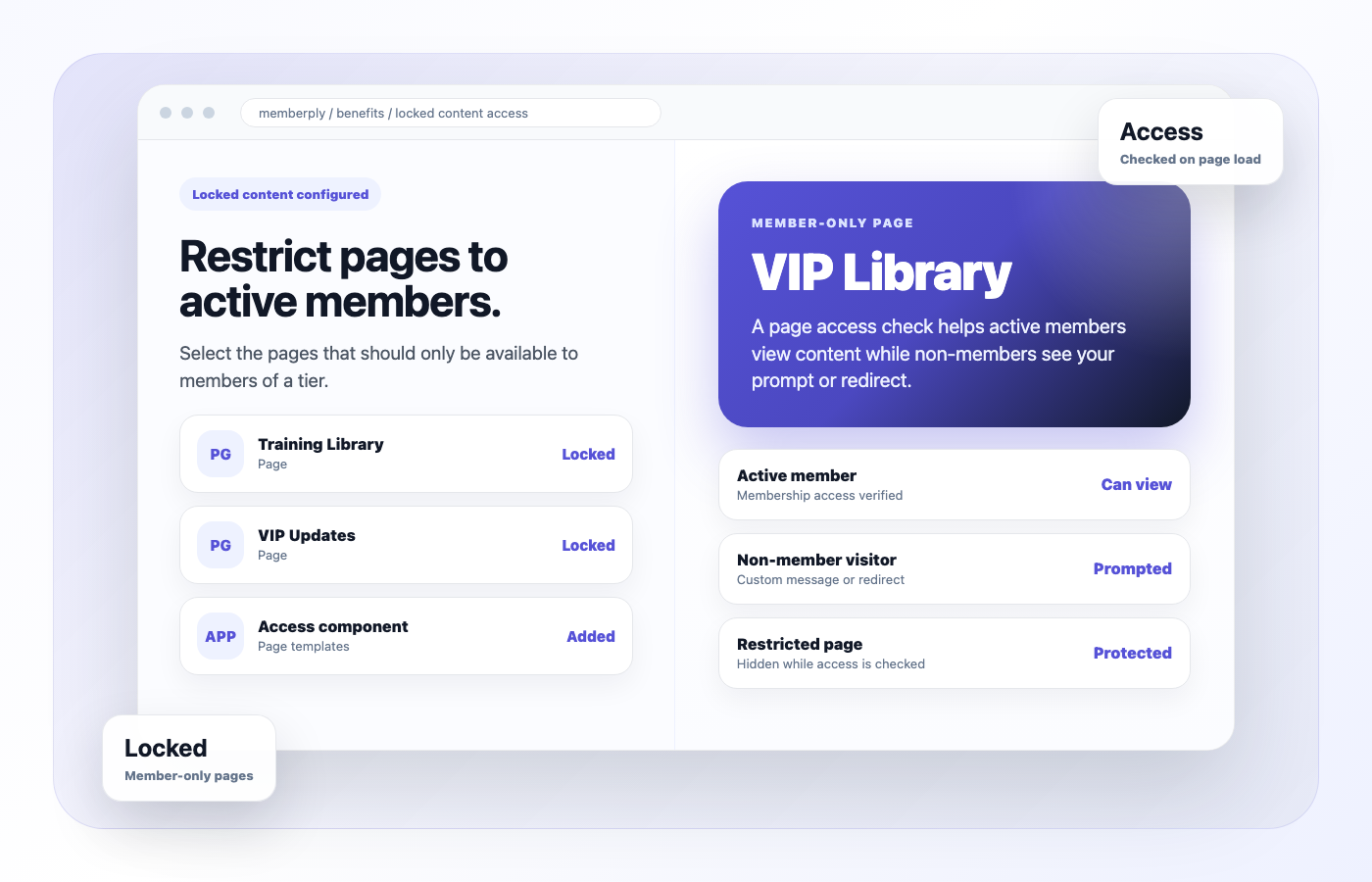
Memberply fits stores that include content access in a membership tier. Select existing Shopify pages for each tier and use the theme component to check access when visitors open them.
Content as a membership benefit
Give eligible members access to a recipe library, product tutorials or VIP updates alongside discounts and other membership benefits. Different tiers can include different selected pages.
Match the tool to the requirement
This feature controls the storefront page experience. It is not a course management system or secure file-delivery service. For products and collections, use the separate Exclusive Product Access benefit.
What page restrictions do and do not protect
Memberply’s theme component checks access in the visitor’s browser. It hides the page while checking, then reveals it for eligible visitors or shows your message and redirects visitors without access.
Use it for the member experience
The component must be installed on the page’s theme template and JavaScript must run. The theme editor skips the check, so previewing inside the editor is not an access test. If the access request fails, the current component reveals the page.
Do not treat it as secure storage
A browser check does not prevent the page HTML from being delivered or protect direct file and video URLs. Do not use this feature alone for confidential information, secure downloads or content that must never reach an unauthorized visitor. Linked media needs its own access controls.
How to restrict Shopify pages by membership tier
1. Create the Shopify pages
Write the guides, resources or updates in Shopify first. Decide which pages belong in each membership tier.
2. Configure Locked Content Access
In Memberply, open Benefits, choose the tier and click Edit Benefits. Enable Locked Content Access, edit its name and description, select the pages and save.
3. Add Memberply Restricted Pages to the theme
In the Shopify theme editor, choose Pages and the template used by your content. Under Template, select Add section > Apps, then add Memberply Restricted Pages. Check every template assigned to the pages you selected.
4. Set the message and redirect
Explain how visitors can sign in or join, and choose an accessible destination such as your membership landing page. Save the theme and test the actual storefront outside the editor.
Follow the benefit configuration guide and theme setup instructions. For offer planning, read the member-only access guide.
Practical gated-content examples
These are illustrative membership offers, not customer results or built-in content libraries.
Coffee brewing guides
Include written brewing recipes in the core tier and additional technique pages in a premium tier. Select the appropriate pages for each tier.
Member product education
Publish tutorials that help members use what they buy. An embedded video still follows its hosting service’s access rules.
VIP updates
Give members a page of community updates or upcoming events. Keep essential joining information public so new visitors understand the offer.
Content restriction pricing
Memberply Growth costs US$49/month, with unlimited members, standard features and a 14-day free trial. Memberply takes no percentage of membership revenue. See plan details and the current App Store listing.
Your Shopify subscription, payment-provider charges and any separate content-hosting costs are additional. You set the membership prices your customers pay.
What to test during your trial
Test one page before adding a library
Configure a single page and its template, then open its direct URL in the actual storefront. Confirm the component is installed and the page is selected in the benefit.
Check member and visitor outcomes
Test a signed-out visitor, a signed-in non-member, an eligible member and a member in a tier without that page. Verify the message, destination and page access for each.
Check access after membership changes
Test a member whose benefit access has ended and a member who changes tiers. Reopen the page and confirm the expected result instead of relying on an old browser tab.
Check templates, mobile and linked assets
Test every page template and mobile layout. Verify public pages remain available and the redirect does not lead back to a restricted page. Evaluate linked downloads and videos separately against the protection you need.
Part of the full offer
Locked content needs a clear join path
If non-members reach locked content, the next step should be obvious. Pair locked pages with a landing page, product access and storefront prompts that explain why joining is worth it.
Membership landing page
Explain what members unlock and give shoppers a clear place to join.
Exclusive product access
Restrict products or collections alongside member-only pages.
Member portal
Give members a place to see available benefits and access links.
All features and benefits
Compare features, benefits and growth tools on the combined Features page.
Merchant proof
Merchants use Memberply to launch practical membership programs
Real reviews point to the same conversion concerns: clear value, native store features, sensible pricing and responsive support.
"The app is great and does exactly what i need it to. It is well priced and Doug is so great."
Olverum Official Store
United Kingdom
"Works with Shopify's native store credit and checkout. Their pricing is fair, and their support is legendary."
Puzzery
Canada
"Our store is based in Argentina so we don't have access to Shopify Payments... Memberply solved it."
Elemental Outfit
Argentina
Shopify gated-content questions
Can Memberply restrict Shopify pages to members?
Yes. Select existing Shopify pages in a tier’s Locked Content Access benefit and add the Memberply Restricted Pages component to the templates those pages use.
Can different membership tiers access different pages?
Yes. Configure the pages included in each tier’s Locked Content Access benefit. Test both eligible members and members in tiers without access.
What happens when a non-member opens a restricted page?
When the browser access check runs and finds no access, the component shows your configured message and redirects the visitor to your chosen URL.
Does this securely protect downloads or confidential content?
No. The restriction runs in the browser and does not prevent HTML delivery or protect direct file or video URLs. Use separate access controls for confidential content and secure assets.
What happens if the browser access request fails?
The current component reveals the page if the access request fails. It also depends on JavaScript running and the component being installed on the correct template.
Does Locked Content Access restrict products too?
Use the separate Exclusive Product Access benefit for products and collections. Locked Content Access is configured around selected Shopify pages.
How much does Memberply cost?
Growth is US$49/month with unlimited members, standard features and a 14-day free trial. Shopify, payment-provider and separate content-hosting costs are additional.
Ready to add member-only content?
Install Memberply and start building membership value beyond discounts.
Choosing an app for member-only access
Compare page locks, product checkout rules, membership billing and cancellation behavior in our Shopify content restriction app comparison. Use the trial checklist to test the access your store needs.