
Shopify member discounts without a code
Give eligible active members automatic percentage or fixed-amount savings. Set minimum requirements and exclude products or collections to match the offer to your margins.
US$49/month on Growth. 14-day free trial. View pricing.
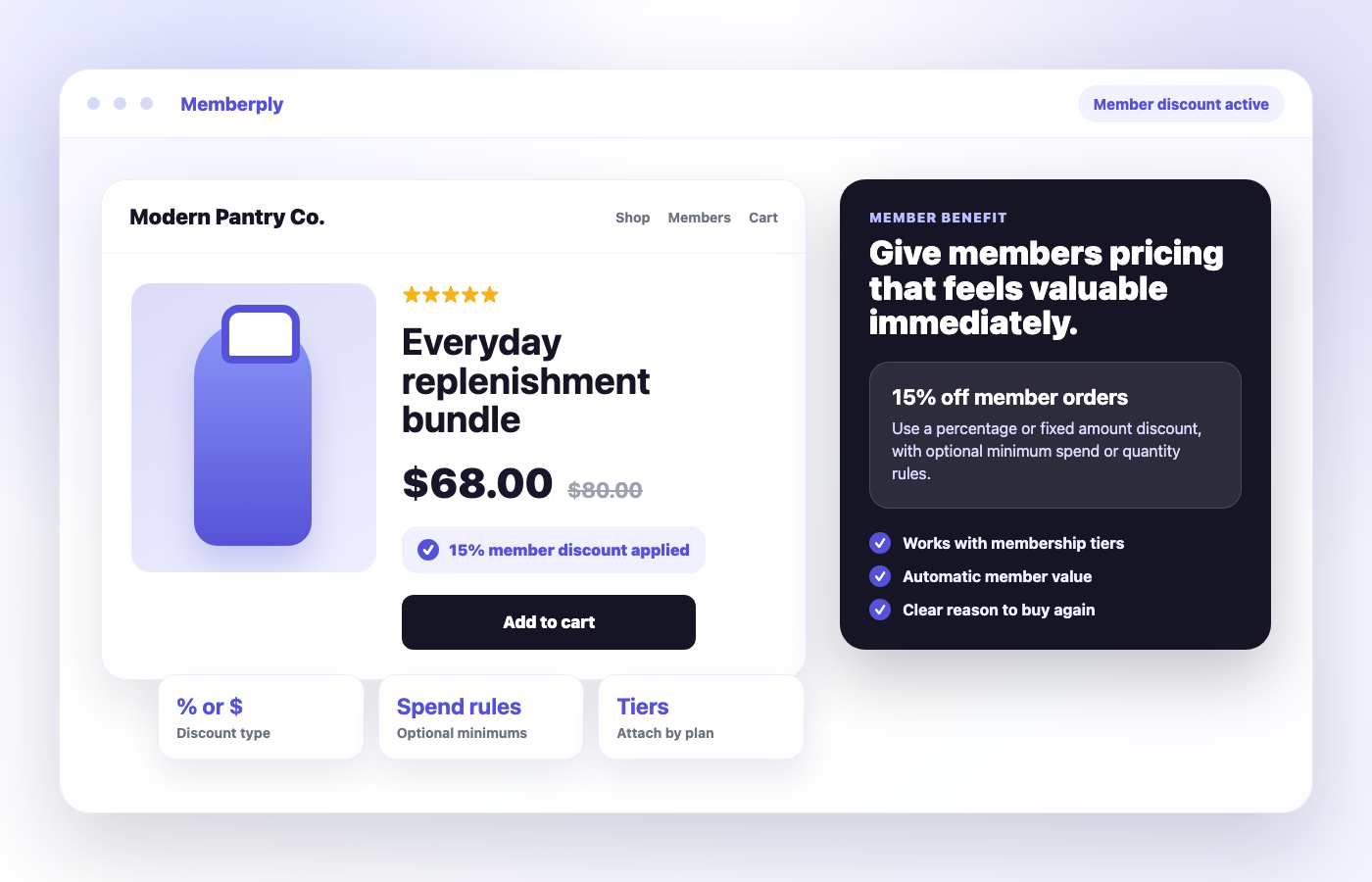
% or $
Discounts
Rules
Minimums
Tiers
Plan value
When Memberply fits your member-pricing offer
Use Memberply when membership status and tier determine who receives a discount. The member benefit can sit alongside store credit, shipping perks and exclusive access in the same program.
Ongoing savings for eligible members
Set a discount for each tier and explain which purchases qualify. For example, a core tier might offer 10% off eligible products while a premium tier offers 15%. These are illustrative offers, not recommended margins or customer results.
Choose the right kind of pricing tool
For a one-off public promotion, Shopify’s discount tools may be sufficient. Memberply adds membership eligibility and benefits. A member discount does not by itself provide wholesale catalogs, negotiated price lists or quantity-based product pricing.
Offer approved wholesale customers member pricing
Use a trade membership when you want to review business customers before giving them an automatic discount. The application decides who qualifies; the active membership tier and its discount rules decide what they save.
1. Define the trade tier and its saving
Create a free tier when approved customers should pay for products without a membership fee. Enable Member Discount, choose the saving and set any minimums or product exclusions. Check the offer against your actual margins.
2. Connect an application to that tier
Collect the business information you need and review each applicant. A pending application does not activate the trade discount. See membership applications for the approval flow.
3. Activate access and test an order
For a free tier, access begins after approval processing completes. For a paid tier, the approved customer must also complete membership payment. Online, the active member signs in and receives the eligible discount when the configured rules are met.
Before choosing the saving, use the wholesale pricing calculator to compare contribution with your own product costs and trade discount.
Retail versus approved-member pricing: a worked example
A fictional foodservice supplier offers approved hospitality members 10% off eligible products, with no minimum for this example. A basket contains $100 of eligible goods and a $20 excluded item. All amounts use the same currency and exclude tax, shipping and other promotions.
| Customer | Member saving | Subtotal after this benefit |
|---|---|---|
| Retail customer or pending applicant | $0 | $120 |
| Approved, active member signed in | 10% × $100 = $10 | $90 + $20 = $110 |
The excluded item stays at $20. Approval alone does not make a paid membership active. If the basket already has negotiated prices or another promotion, check the actual checkout combination before promising an additional saving. This is an illustrative calculation, not a recommended discount rate or customer result.
Discount-based trade membership
Fits an approved customer receiving the tier's percentage or fixed-amount order benefit. Separate programs can serve foodservice buyers, salons, designers or stockists. Use our trade application examples to plan eligibility.
Company catalogs and negotiated price lists
A member discount does not create per-product wholesale price lists, company accounts, payment terms or tax exemptions. If those are essential, compare the membership and native B2B workflows before choosing your setup.
Want benefits to grow with repeat purchasing? Review the B2B spend-tier example. A fixed tier discount and a spend-based benefit are different configurations; test their interaction instead of assuming the percentages add together.
Choose the discount and define eligible purchases
Percentage off
A percentage scales with eligible spend. Illustrative example: 15% off an $80 eligible subtotal saves $12, leaving $68 before tax, shipping or other adjustments.
Fixed amount off
Choose a fixed saving for the qualifying order, such as $10 off. This is an order discount, not a promise of $10 off each item.
Optional minimums
Choose no minimum, a minimum purchase amount or a minimum quantity. Test carts just below and at the requirement before publishing the offer.
Product and collection exclusions
Use Product exclusions for items that should not receive the saving, such as selected bundles or low-margin products. Excluded items remain excluded from the discount subtotal. Test mixed carts containing both eligible and excluded items.
Product-page and cart-page upsell pricing also respects exclusions. Use the discount pricing guide to assess the saving alongside product cost, fulfilment and payment costs.
Set up automatic member discounts
1. Open the tier’s benefits
In Memberply, open Benefits, choose the membership tier and click Edit Benefits. Enable Member Discount, then click Edit.
2. Define the saving
Add a clear name and description, choose Percentage Off or Fixed Amount Off, and enter the value.
3. Set minimums and exclusions
Choose the minimum requirement, add any product or collection exclusions, then save. Configure each tier to match its membership promise.
4. Make the offer visible
Explain eligibility and exclusions on your membership page. If you use Memberply product-page or cart-page upsells, check their savings display against the final checkout result.
Follow the Member Discount setup guide or explore the member discount program guide.
How member discounts work online and on POS
Online checkout
The customer signs in as an active member of a tier with the benefit enabled. Shopify applies the eligible member discount automatically when its rules are met. Members do not need to copy or enter a code.
Shopify POS
Staff add the customer to the cart so membership can be recognized, then check the eligible saving in the cart. The Memberply tile helps staff review status and benefits. Follow the POS setup and trial checklist.
Combining with Buy X Get Y
Memberply uses Shopify’s order discount class. In the Buy X Get Y promotion, allow combinations with Order discounts, and ensure both discounts allow the relevant classes. Shopify applies the product promotion first, then the member saving to the revised eligible subtotal.
This combination does not require Shopify Plus. Automatic discount combinations on POS require a POS Pro location. Do not assume every promotion will stack; verify the actual cart. See Shopify’s combination rules and POS requirements.
Member discount app pricing
Memberply Growth costs US$49/month, with unlimited members, standard features and a 14-day free trial. Memberply takes no percentage of membership revenue. See plan details and the current App Store listing.
The app fee is separate from the savings you fund, Shopify and payment-provider charges, and any POS Pro subscription you need. A $12 discount reduces what you collect from the order; it is not automatically offset by extra profit or membership revenue.
Test your offer before inviting members
Check customer eligibility
Compare a signed-out visitor, a non-member, an active member and a member whose benefit access has ended. Check each tier’s expected saving.
Check minimums and exclusions
Test below and at the threshold, an eligible-only cart, an excluded-only cart and a mixed cart. Verify both the savings display and checkout.
Check promotions and channels
Test Buy X Get Y or any other promotion you plan to combine. Repeat the intended purchase on POS, using the correct customer and location setup.
Check the full economics
Review the final discounted amount alongside other perks such as credit or shipping. Publish clear eligibility and exclusions so customers understand the offer.
Part of the full offer
Discounts work best when they are not the only reason to join
For conversion, the discount can be the hook. For retention, combine it with benefits that keep creating value after the first order.
Store credit
Add signup credit, recurring credit or reward credit so members have a reason to return.
Membership upsells
Promote the discount on product pages, cart pages and storefront widgets while shoppers are active.
More member benefits
Build a richer membership offer with rewards, shipping, exclusive products, content and events.
All features and benefits
Compare features, benefits and growth tools on the combined Features page.
Merchant proof
Merchants use Memberply to launch practical membership programs
Real reviews point to the same conversion concerns: clear value, native store features, sensible pricing and responsive support.
"The app is great and does exactly what i need it to. It is well priced and Doug is so great."
Olverum Official Store
United Kingdom
"Works with Shopify's native store credit and checkout. Their pricing is fair, and their support is legendary."
Puzzery
Canada
"Our store is based in Argentina so we don't have access to Shopify Payments... Memberply solved it."
Elemental Outfit
Argentina
Shopify member discount questions
Can I approve wholesale customers before giving them member discounts?
Yes. Connect a membership application to the tier with the Member Discount benefit. Free membership access activates after approval processing. Paid membership access requires successful payment after approval. The active customer then signs in to receive eligible discounts.
Can I offer percentage and fixed member discounts?
Yes. Choose Percentage Off or Fixed Amount Off for the tier’s Member Discount benefit. A fixed amount is an order saving, not a per-item discount.
Can I exclude products or collections?
Yes. Add them under Product exclusions. They do not receive the member discount, and Memberply product-page and cart-page upsell pricing respects those exclusions.
Can I set a minimum spend or quantity?
Yes. Choose no minimum, a minimum purchase amount or a minimum quantity. Test below and at the threshold with your intended products.
Do members need to enter a discount code?
No. Online, the customer signs in as an active member of a tier with the benefit enabled. The eligible discount applies automatically when the configured rules are met.
Can member discounts work in Shopify POS?
Yes. Staff add the customer to the cart and check the eligible member discount. Automatic discount combinations require a POS Pro location.
Can the discount combine with Buy X Get Y?
Yes, when the discounts allow the appropriate combinations. Enable Order discounts on the Buy X Get Y promotion. Shopify Plus is not required for this combination; automatic combinations on POS require POS Pro.
How much does Memberply cost?
Growth is US$49/month with unlimited members, standard features and a 14-day free trial. The discounts you fund and applicable Shopify, payment-provider or POS Pro charges are separate.
Ready to make member pricing part of your offer?
Install Memberply and start building a membership program where active, signed-in members receive their discount automatically, with no discount codes required.