
Membership onboarding strategy for Shopify stores
Help new members understand their benefits, find their customer account and take the first useful step after joining.
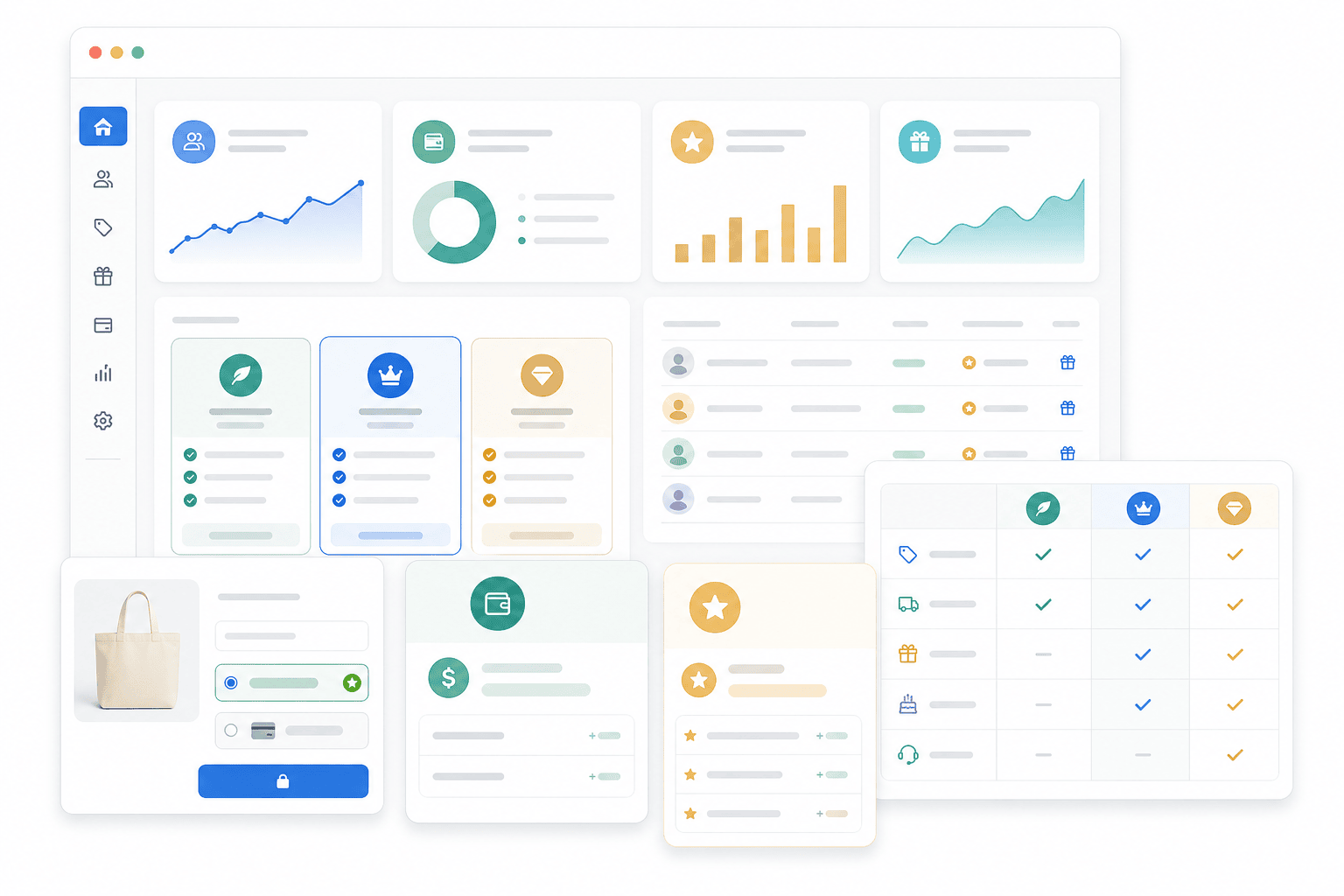
Quick answer
A good membership onboarding strategy removes confusion after signup
Start by helping members understand what they joined, where their benefits live and which first action is useful. Check that the account and benefit journey actually works before adding more messages.
Once members understand their benefits, introduce referrals with a relevant invitation. Our referral email guide includes original examples and checks for reward eligibility.
For Shopify merchants, Memberply supports onboarding with welcome emails, customer account benefits, membership tiers, store credit, discounts, reward points, landing pages and Klaviyo member data.
Best fit for Memberply
Use Memberply when onboarding depends on clear welcome messages, visible benefits, tier-specific value and a simple path from joining to first use.
What should a membership welcome pack include?
A membership welcome pack is a compact reference that explains the program a customer joined and how to use it. For a retail membership, it can be a digital page linked from the welcome message. It does not need to be a physical box or a long PDF.
1. Membership and terms
Name the tier, whether it is free or paid, the fee and billing frequency where applicable, and where the member can review renewal and cancellation terms. Use their actual account details for dates rather than guessing from a generic template.
2. Benefits and limits
Explain the core benefit, eligible purchases and meaningful exclusions. Describe when a credit or reward becomes available only if that timing applies to the configured tier.
3. Account and first action
Provide the tested account link and one useful next step. Help members find their benefit details before asking them to place another order.
4. Help and membership management
Show where to get help and manage the membership. Verify these links using the customer account experience your store actually offers.
A physical welcome gift is optional. Budget for the item, packing, postage and fulfilment before promising it. Memberply does not fulfil welcome boxes.
Digital welcome-pack example: a retail essentials club
This fictional planning worksheet uses a $10 monthly tier with a 10% member discount on eligible products. It is not Memberply app pricing, a live merchant offer or a default template. Replace every example detail with your actual terms before using it.
Everyday Essentials Club: member quick reference
- Your tier: Everyday Essentials, $10 per month. The recurring charge and next billing date must match the member’s actual subscription details.
- Your core benefit: 10% off eligible products while membership is active. In this example, gift cards and sale products are excluded. Confirm your store’s product exclusions and discount-combination rules before publishing the final wording.
- Where to start: Open your store account using the account link, sign in with the email associated with your membership, and find the member benefits area.
- First useful action: Read the eligible-product details. When you next need an eligible item, check that the member discount appears at checkout before paying. You do not need to place an extra order just to complete onboarding.
- Need help? Use the store’s verified support contact if the benefit is missing or the terms are unclear. Include the membership-management link for reviewing billing and cancellation options.
The finished pack should contain working links, not these link descriptions. For a free tier, remove the recurring-fee language. For a credit-based tier, replace the discount example with the actual credit amount, availability, eligibility and any applicable expiry. Do not mix terms from different tiers.
In this fictional discount-only offer, $100 in eligible purchases produces $10 in discounts before accounting for the $10 fee. That is a break-even example, not a promise of savings or a reason to buy more. Use the subscription fatigue guide to assess whether the offer fits the shopper’s normal purchases.
First-benefit checklist before you launch
- Confirm the right member and tier. Check that the account used in the journey has the expected active membership. A message being delivered does not prove that access is ready.
- Follow the welcome link on a phone. Test the account link, sign-in path and return to the benefit area. Use the same account experience your customers use.
- Find the benefit and its limits. A new member should be able to explain what is eligible without searching through several messages.
- Verify the benefit journey. For a member discount, check an eligible product and a configured exclusion. For another benefit type, test its own eligibility and claim path. Do not substitute a discount test for a store-credit or access test.
- Check the help route. Make sure someone can report a missing benefit and get a useful response. Correct broken access before sending repeated purchase prompts.
- Choose a meaningful observation. Track a completed benefit action when reliable records exist. Treat account visits or message clicks as earlier steps, not proof of benefit use or customer value.
Memberply’s member discount applies automatically at checkout for a logged-in active member when the benefit is enabled for their tier; configured product exclusions still apply. Follow the member discount setup guide. For other benefit types, check their specific instructions.
A first-week sequence you can adapt
These are planning checkpoints, not a built-in automated sequence or a universal sending schedule. Space follow-up around the product’s buying cycle, avoid duplicate messages and stop repeating a step the member has already completed.
After joining: orient
Confirm the tier and relevant terms, link to the digital pack and point to the account. Use one primary action: find your benefits.
Days 2-3: remove friction
If useful and appropriate, explain the core benefit and where to get help. Do not assume an unopened message means the customer is confused, or claim to know they have not used a benefit without reliable data.
Days 5-7: listen
Check for recurring questions and broken paths. Where follow-up is appropriate, ask what is still unclear. A seasonal shopper may need a reminder nearer their next purchase instead of another first-week message.
For short new-member questions, use the membership survey guide. For a fuller messaging plan, see the VIP email sequence guide. Keep the welcome pack as the reference and follow-up as a useful reminder.
Memberply’s purchase welcome email can be edited and previewed under Store setup > Emails, with content by tier. Imported and manually added members use a separate email path. Check the current member email instructions rather than assuming one welcome template covers every joining method.
Onboarding approved business buyers? Follow the wholesale onboarding walkthrough.
Membership onboarding steps to cover
A good first experience shows the member what changed and what to do next.
1. Welcome confirmation
Confirm the active tier, its benefits and any relevant billing terms. Give the member a clear account link and one useful next step.
2. Benefit education
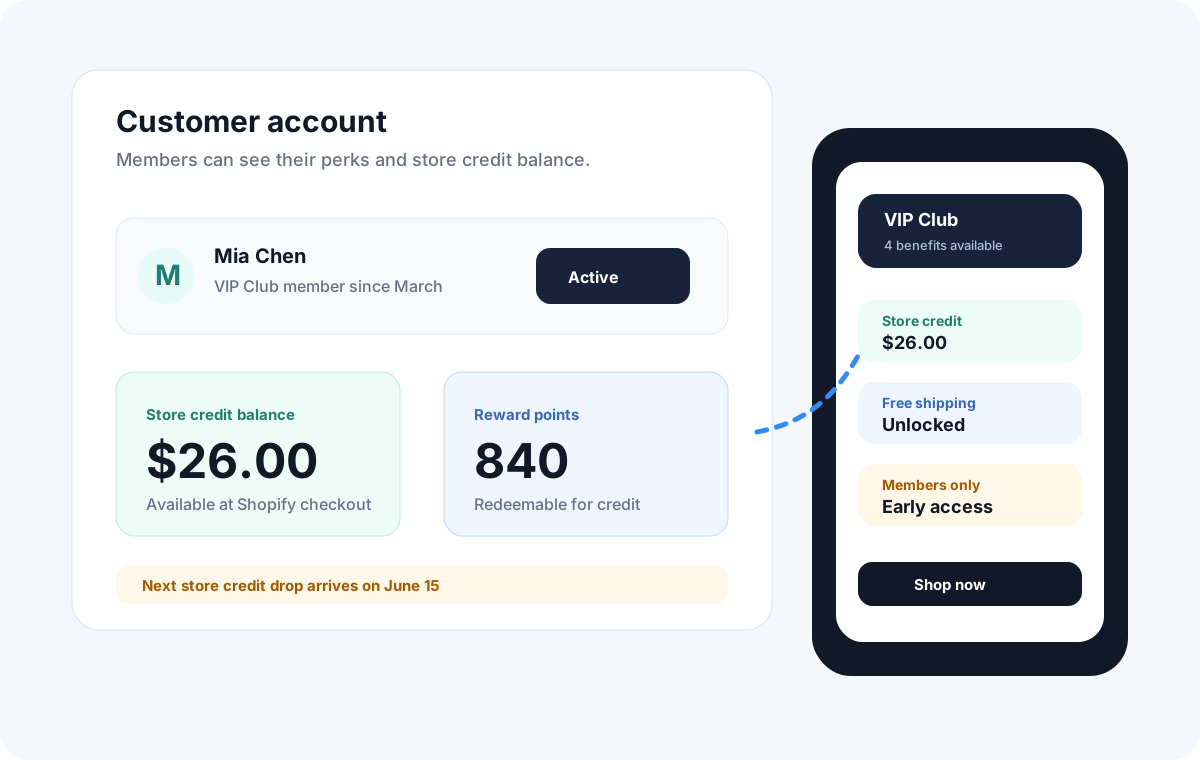
Explain store credit, discounts, free shipping, points or gated access in plain language.
3. Customer account setup
Point members to the account area where they can see and use their benefits.
4. First-use prompt
Give members a specific reason to use credit, claim a perk or view member-only content.
5. Segment follow-up
Use Klaviyo member data to send different messages by tier, status or benefit type.
6. Early value reminder
Reinforce benefits soon after signup so members remember why they joined.
What to include in the strategy
Onboarding works best when members receive the right information before they need to ask for it.
The welcome path
Send a clear welcome message that confirms the tier, benefits and account link.
The first benefit path
Guide members toward the first store credit, discount, free shipping perk or gated experience.
The account path
Make the member portal the place where members can understand what they can use.
The follow-up path
Use emails and Klaviyo to remind members before the first experience fades. For a fuller flow, see the VIP email sequence for Shopify guide.
First experience
How to make new members feel oriented
Explain the membership clearly
Show the member what tier they joined, what they get and where the benefits are available.
Make the first action obvious
Prompt members to view their account, use store credit, unlock a product or claim a specific perk.
Connect onboarding to retention
Follow up after the right activation step and account for the member’s buying cycle before treating a quiet period as inactivity.
Membership onboarding questions
Clear answers for Shopify merchants trying to give new members a better first experience.
What is a membership welcome pack?
A membership welcome pack is a short reference explaining the tier, benefits, relevant terms, account access and where to get help. A digital page can be enough; a physical gift is optional.
What should a digital membership welcome pack include?
Include the tier name, actual fee and billing terms where applicable, benefit eligibility and limits, a tested account link, one useful first action and support and membership-management links.
Do new members need to buy again in the first week?
No. The useful first step may be finding and understanding their benefits. Time purchase-related follow-up around the shopper’s normal buying cycle rather than encouraging an unnecessary order.
What is membership onboarding strategy?
Membership onboarding strategy is the plan for helping new members understand what they joined, where to find their benefits, how to use rewards and what to do next after signup.
How do I onboard new members on Shopify?
Onboard new members on Shopify by sending a welcome email, showing benefits in customer accounts, explaining store credit or discounts, prompting first use and using Klaviyo segments for follow-up messages.
What should a membership welcome email include?
A membership welcome email should confirm the member tier, summarize benefits, link to the customer account, explain how to use store credit, discounts or rewards and point members to the next useful action.
Can Memberply help with membership onboarding?
Yes. Memberply helps Shopify merchants onboard new members with welcome emails, visible customer-account benefits, membership tiers, store credit, discounts, reward points, Klaviyo data and landing pages.
Trusted by Shopify merchants








Ready to onboard members better?
Use Memberply to welcome members, show benefits and guide them toward first use.
Merchant reviews
Merchants use Memberply to launch practical membership programs
These reviews describe Memberply generally, not the planning examples above. Read what merchants say about their membership programs. Read reviews on the Shopify App Store.
"The app is great and does exactly what i need it to. It is well priced and Doug is so great."
Olverum Official Store
United Kingdom
"Their pricing is fair, and their support is legendary."
Puzzery
Canada
"Our store is based in Argentina so we don't have access to Shopify Payments... Memberply solved it."
Elemental Outfit AR
Argentina