

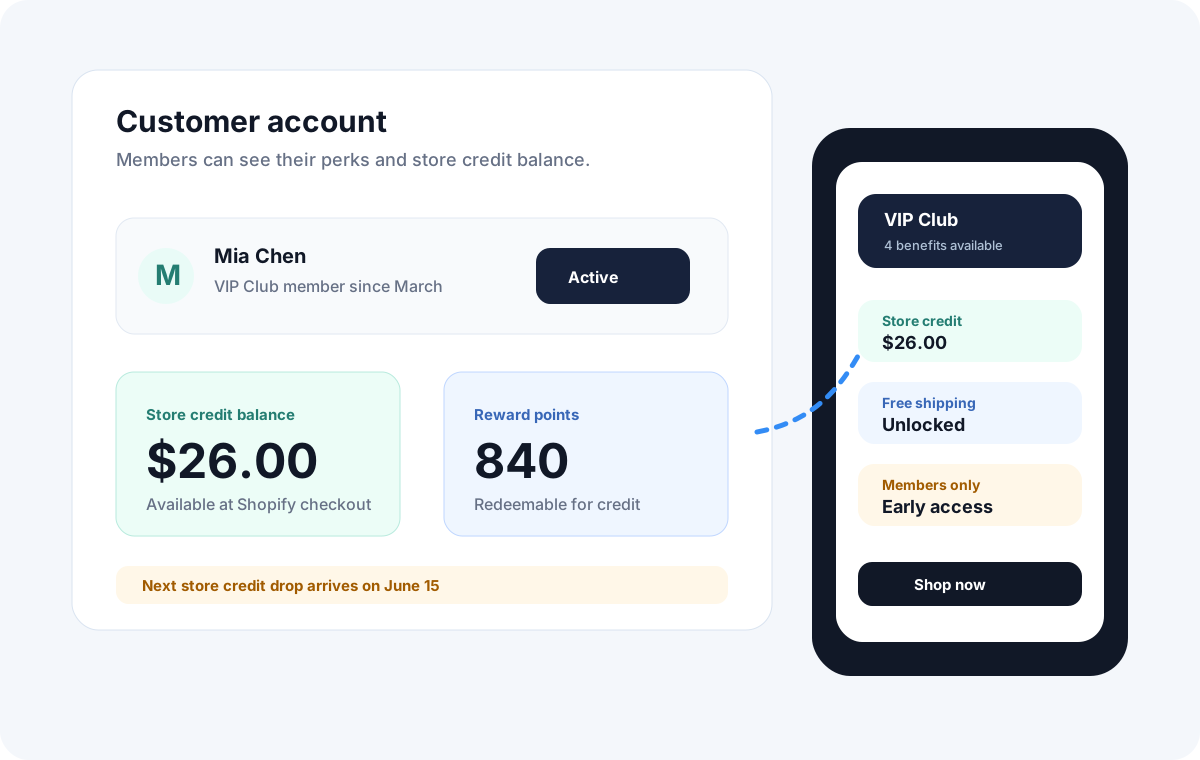
Store credit vs gift cards, discounts, and points
| Reward | How it works | Useful purpose |
|---|---|---|
| Native store credit | A balance attached to a customer account. | Account-based rewards customers can spend later. |
| Gift card | Value redeemed using a unique code at checkout. | Gifting or selling prepaid value. |
| Discount | A reduction in the price of an eligible purchase. | Immediate savings on an order. |
| Reward points | A separate reward balance with a configured conversion rate. | Recognising purchasing activity before redemption. |
In Memberply, points become credit when the member redeems them. Cashback creates credit from eligible purchasing, rather than paying cash into a bank account. Avoid using these terms interchangeably in your program description.
Shopify explains gift card redemption by code. For native account credit, follow its separate store credit guidance.
How to give store credit on Shopify
For a manual grant, open Customers in Shopify admin and select the customer. In Store credit, select Edit, choose Credit, enter the currency and amount, choose expiry or no expiry, then review and confirm. Use Shopify’s current instructions for the available settings.
Manual issuance can suit an occasional goodwill adjustment. A membership rewards program needs repeatable rules for when credit is earned. Memberply adds those rules through tier benefits such as sign-up credit, cashback, fee-to-credit, and recurring loyalty drops.
Prepare the customer account experience
Use Shopify’s new customer accounts and enable Store credit under Settings > Customer accounts. Follow Memberply’s native store credit setup guide.
Choose one reward to start
Open Benefits, find the membership tier, and select Edit Benefits. Enable the chosen benefit and open Edit. Give it a clear name and explanation of when customers earn it.
Set the amount and eligibility
For cashback, choose the reward type and amount, minimum requirements, maximum per order, eligible products or collections, and whether tax and shipping count. See the cashback setup instructions.
Set expiry and test redemption
Choose a validity period or No Expiry, then save. Test the full experience with a test member: earning the reward, signing in, seeing the available value, and redeeming it.
How customers use store credit on Shopify
Need the redemption steps? See how customers apply store credit at online checkout or how staff redeem store credit on Shopify POS. If the balance is missing, start with the online store credit checks.
For online native-credit checkout, customers sign in through Shopify’s new customer accounts and apply their available credit. The balance must match the checkout currency. It can fund an initial subscription purchase, but not recurring subscription bills. See Shopify’s redemption restrictions.
Memberply’s documentation describes native reward delivery when the customer logs in. A reward that has been earned and credit already issued to Shopify are different stages; check both when answering a missing-credit question.
For a redemption issue, check the signed-in customer, enabled credit setting, currency, and expiry. Also confirm whether the reward has been issued or points still need redemption. Test POS separately if your store accepts rewards in person. Shopify documents channel availability in its store credit reference.
Store credit reward examples with practical numbers
These are fictional planning examples, not merchant results or recommended reward rates. Use your actual margins, order frequency, and benefit costs.
For percentage rewards earned on purchases, use the cashback calculator to estimate credit earned, expected redemption and two alternative cost scenarios. Use the store credit calculator below for fixed credit issues and allocated membership fee revenue.
| Program | Example calculation | Setting to decide |
|---|---|---|
| Cashback | 5% of $100 in eligible spend creates $5 of credit. | Define eligible spend, exclusions, and any per-order cap. |
| Points to credit | At 2 points per $1 spent, a $100 purchase earns 200 points. At 100 points per $1 of credit, that is $2 when redeemed. | Explain both the earning rate and redemption rate. |
| Recurring credit | A $5 monthly loyalty drop issues up to $60 across 12 qualifying drops. | Budget for accumulated grants and choose a validity period. |
| Fee to credit | A $20 membership payment converted to credit creates $20 of future spending value. | Decide whether the first charge qualifies and avoid counting fee revenue as pure profit. |
For points, divide the points earned per unit of spend by the points needed for one unit of credit. In the example, 2 ÷ 100 is a 2% face-value reward rate. It is not a profit forecast.
Suppose an $80 future order is paid with $10 promotional credit and $70 in new payment. If product and fulfilment costs total $45, that order leaves $25 before payment fees, other rewards, and fixed costs. The example excludes any earlier membership revenue. Assess the whole program over the same period so fee revenue and credit costs are not counted twice.
Track credit earned, issued, redeemed, expired, and still outstanding separately. Compare repeat purchasing with an appropriate baseline rather than assuming every redemption represents a new sale. The store credit calculator can help explore scenarios.
Set clear expiry and program rules
Memberply’s credit benefits support validity in days, months, or years, or No Expiry. For native credit, the configured expiry applies to each new Shopify credit grant from its issue date. Changing the setting does not alter credit already issued.
Explain the earning trigger, amount, redemption steps, expiry, and handling of returns before customers join. Test refund scenarios for your chosen benefits rather than assuming every reward is automatically reversed. Check your local requirements before choosing an expiry policy.
Start with one understandable reward. Add loyalty drops, reward points, or fee-to-credit only when the combined value and cost remain clear. Our tiered loyalty guide explains how spending levels can complement a credit program.